
Quick reality check: paid search can print leads or quietly roast your budget while you’re up a ladder swapping downlights.
I’m Chris from Loudachris, and I’ve seen the same leaks across tradie accounts in Adelaide. The platform is more automated in 2026 — handy until it starts “helping” you spend money in the wrong places.
Intent matters more than clicks for emergency callouts, switchboard upgrades and EV charger installs. A noisy click report doesn’t pay the bills. Busy phones are great, busy click reports are not.
This short guide teases nine common problems and dead-simple fixes you can action this week. Expect clear checks for weekly vs monthly care, plus fixes that don’t need a full-time PPC nerd.
Ready to take control of your campaign and protect your business spend? Let’s dive in — and yes, you’ll be the hero here.
Key Takeaways
- Automations help, but check defaults — they can waste spend fast.
- Match types, negatives and geo-targets fix irrelevant clicks.
- Track conversions and test landing pages for real results.
- Weekly checks catch costing leaks; monthly reviews refine strategy.
- Small fixes now stop big budget burn later.
Key takeaways (so you don’t torch your budget)
Little account tweaks beat big panic repairs. Spend a few minutes on the right checks and your account starts delivering real leads, not just clicks.
- Separate Search and Display. Reach and leads aren’t the same — keep them apart so you’re buying intent, not impressions.
- Tighten match types and negatives. Stop paying for tyre-kickers and job-seekers; clean queries drive down your cost per lead.
- Fix geo targeting (presence, not presence or interest). Pay for the suburbs you serve, not the whole state.
- Track real conversions only. Qualified calls and quote forms are the data your bidding should learn from.
Where most spend leaks happen
Search terms, default automation and sloppy location settings are the usual culprits. Weekly checks catch these fast.

What to check — weekly vs monthly
- Weekly: search terms, location report, budget pacing — 10 minutes Friday arvo beats 10 hours of panic later.
- Monthly: landing page tweaks, ad extension refresh, conversion sanity check and review of campaign data.
“Weekly search terms checks reduce wasted spend; clear conversion data fixes bidding.”
| Check | When | Impact |
|---|---|---|
| Search terms sweep | Weekly | Stops irrelevant clicks |
| Geo presence audit | Weekly | Keeps spend local |
| Landing page test | Monthly | Improves conversion rate |
| Conversion tracking sanity | Monthly | Clearer bidding signals |
Want a ready checklist and reporting templates? Check the Loudachris resources hub for downloadables and quick how-tos.
Accidentally running Search ads on the Display Network
If your goal is real leads, don’t let search ads bleed into Display — you’ll buy busy, not business. Keep search and Display campaigns separate so you pay for intent, not for curious scrollers who click without buying.
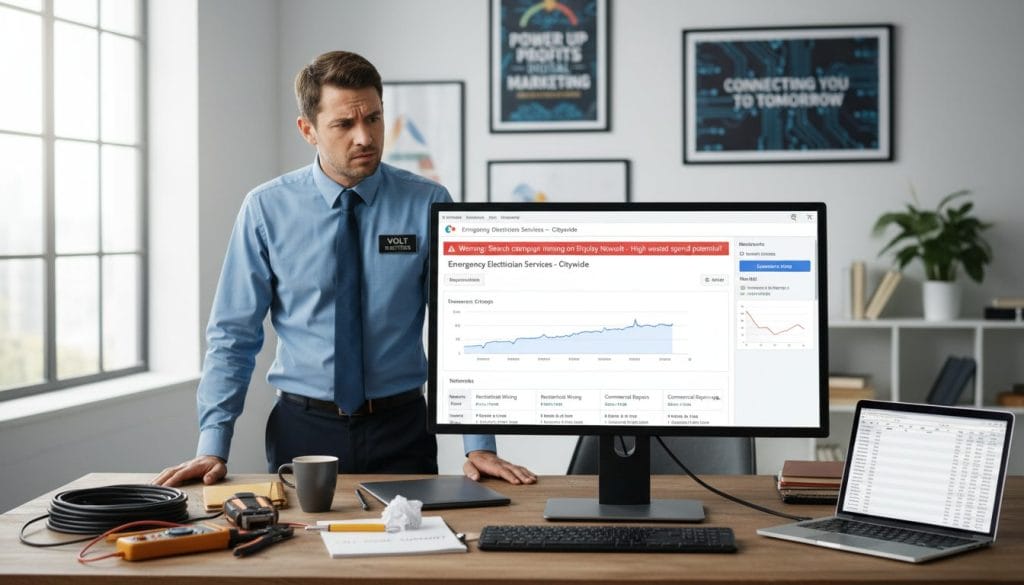
Why Display clicks look busy but convert poorly
Display advertising can feel like success — lots of impressions and cheap clicks. The problem is intent: people on the Display Network aren’t actively searching for a tradie, so those clicks rarely turn into jobs.
Proof point
“Instapage reports average conversion rates of 4.40% for Search campaigns versus 0.57% for Display campaigns across industries.”
| Network | Typical intent | Avg conversion rate (Instapage) | When to use |
|---|---|---|---|
| Search | High — user actively searching | 4.40% | Emergency calls, quote requests |
| Display | Low — passive browsing | 0.57% | Brand awareness, remarketing |
| Remarketing (Display) | Medium — past visitors | 0.57% (varies) | Bring back warm leads |
How to stop the bleed — do this, not that
- Do: Create separate search campaigns and separate Display campaigns. Name them clearly — e.g., “Search – Emergency” and “Display – Remarketing”.
- Do: Untick Display expansion in the Networks setting so search ads don’t auto-appear on Display.
- Do: Set goals per campaign — calls and form submits for search; impressions or retargeting for Display.
- Don’t: Mix budgets early — split 70/30 favouring search while you test.
Use this simple use-case: run search campaigns for “emergency electrician Adelaide” to capture intent, then run Display remarketing to past site visitors later. The outcome: fewer junk clicks, cleaner conversion data, and better return for the same spend.
4. Match types set to “she’ll be right” (broad match overload)
Direct answer: Broad match is fine when controlled, but set-and-forget broad match pulls in research queries and price-shoppers that rarely book.
Why it matters: broad, phrase and exact change how wide your net is. Broad is a wide net, phrase is a targeted net, exact is a spear gun.
How broad match drags in low-intent searches
Broad match can trigger searches like “electrician course”, “electrical apprenticeship”, “wholesale electrical supplies” or “DIY wiring”.
Those queries look like traffic, not jobs. They inflate cost per click, drop CTR and muddy conversion data that bidding learns from.
Quick way to test match types safely
Duplicate an ad group, run phrase/exact alongside broad at a smaller budget, and compare leads not clicks. Run for a short time window and pause the lower-performer.
Close variants — helpful, until intent flips
Close variants catch typos and plurals, but can swap intent — training versus hire, commercial versus residential. Quick rule: if the search term wouldn’t make you pick up the phone, it shouldn’t trigger your ads.
“Use close monitoring and negative keywords as a seatbelt — they make match types safe.”
Ignoring negative keywords and paying for tyre-kickers
If you leave negatives to chance, you’ll pay for curiosity clicks from people who will never book. This is the fastest leak in a campaign — and the easiest to fix.
Final answer: if you’re not adding negatives weekly, you’re paying for research traffic, not jobs.
Negative keywords that save sparkies real money
Starter list: jobs, career, apprenticeship, course, TAFE, salary, wholesale, supplies, Bunnings, DIY, how to.
Add “cheap” or “free” if you’re premium. Exclude “commercial” if you only do residential, or vice versa.
How to mine the search terms report for negatives
Open the search terms report, filter by high spend with low conversions, and flag question-style queries or weird suburb names.
Use phrase negatives to block common patterns without killing legit leads — exact negatives only for very specific junk.
“Do a 10-minute negative keyword sweep every Friday and watch lead quality improve over the next fortnight.”
| Negative type | Example | Why it helps |
|---|---|---|
| Job/education | jobs, apprenticeship, course | Removes career seekers |
| DIY/retail | DIY, Bunnings, supplies, wholesale | Stops clickers looking to buy parts |
| Price shoppers | cheap, free | Protects premium pricing |
Next step: once queries are clean, tighten your geo targeting to stop suburb-level leaks.
Lazy geo-targeting that shows ads to the wrong suburbs (or the wrong state)
Showing ads to the wrong suburbs is one of the fastest ways to burn a budget without getting calls. Fix the location setting and you stop paying for clicks you can’t service.
Final answer: set location targeting to Presence so your campaign only shows to people actually in your service area — not someone in Brisbane “interested” in Adelaide.
Why “presence or interest” hurts local tradies
The “presence or interest” option will show your ads to people who’ve searched about a place, travelled there in the past, or just read about it. That’s fine for tourism, not for a local sparkie who turns up in a van.
Radius vs suburb lists — pick the right fit
Radius targeting is quick and tidy for CBD-to-beach runs. Choose a 10–20km ring for normal Adelaide service areas.
Suburb lists are better when you avoid no-go zones — long hill drives, industrial pockets or far-flung suburbs you won’t attend. They take a bit more work but stop wasted trips and callbacks.
Spot wasted spend fast with Location reports
Open the location report and look for clicks from postcodes outside your service area, high spend suburbs with zero leads, or weird interstate hits.
Exclude those suburbs or add negative locations. Tightening geo usually lifts lead rate and stops wasted traffic from places you won’t go.
“If you wouldn’t drive there for a $500 job, don’t pay to have someone from there call you.”
| Check | What to look for | Action |
|---|---|---|
| Presence setting | Shows where people are, not just where they’re curious | Set to Presence only |
| Radius vs suburbs | Fast ring vs precise service pockets | Use radius for simple areas, suburbs list for selective routing |
| Location report | Out-of-area clicks and spend with no leads | Exclude postcodes and refine targeting |
Google Ads mistakes electricians make with bidding and recommendations
Auto-bidding sounds clever, but it needs clean conversion signals or it’ll optimise for nonsense. Start simple: control spend, collect reliable data, then hand the keys to automation.
Default bidding strategies: when they help, when they sting
When they help: steady conversion volume, one clear service and solid tracking — automation can lift results. When they sting: messy tracking, low volume or mixed services — you’ll pay for clicks that don’t convert.
Manual CPC first: getting clean data before Smart Bidding
Use Manual CPC for a short data window. Get real conversions, not guesswork. Once you have consistent leads, test Maximise Conversions or tCPA on a small ads campaign split.
Auto-apply recommendations: what to keep off by default
- Turn off auto-apply. Review suggestions manually.
- Reject anything that broadens keywords or expands networks automatically.
- Keep changes that tighten targeting or fix tracking.
Why bidding for top spot can blow out cost per lead
Chasing position one raises cost per click and often the cost per lead, without better quality. Focus on booked jobs per $1,000 spent — that metric actually shows results.
“Start simple, control spend, and only hand the keys to Smart Bidding once your conversion tracking is clean.”
Need a quick audit? See the Loudachris page on google ads audits and PPC management for a checklist.
Skipping ad extensions (and giving up free real estate on the results page)
Extensions are the low-effort win that gets more real eyeballs and more calls without rewriting your whole campaign. They add space, push useful info into the results and make it easier for someone to act — especially on mobile.
Call and location extensions that make the phone ring
Call extensions put a tappable phone number front and centre, so mobile users can ring in one tap. Location extensions show proximity and build trust — handy when someone needs an urgent fix.
Sitelinks that actually match services
Don’t use generic sitelinks. Send visitors to pages that match the ad intent. Examples that convert:
- Emergency Electrician
- Switchboard Upgrades
- Smoke Alarm Compliance
- EV Charger Install
- Service Areas
Follow the guidance — use multiple extension types
Evidence point: platform guidance recommends adding at least four extension types to search ads to increase ad real estate and usefulness. More relevant extensions often lift click quality and action rates.
“If you’re paying for the top shelf, don’t leave half the shelf empty.”
Mini QA checklist:
- Correct phone number on call extension and landing pages
- After-hours routing or voicemail set up for urgent calls
- Consistent address across location extension and site
- Sitelinks point to dedicated pages, not the homepage
Final article direct answer: extensions are the easiest quick win in search ads — add them, check the QA list, and watch the phone start to ring. For a quick campaign audit and extra tips, see our guide on search ads for tradies.
Sending every click to the homepage instead of a proper landing page
A homepage is a shopfront, not a tailored pitch — it rarely converts search intent into a booked job. Send each ad group to a focused landing page so the visitor finds the answer and takes action fast.
Landing page relevance and Quality Score (aka your CPC pain)
Final answer: send each ad group to a relevant landing page, not your homepage. Higher landing relevance lifts your quality score and usually drops cost per click over time.
“Landing page relevance is a major factor in quality score and affects cost per click.”
Stats to back it: more landing pages, more leads
Companies with 30+ landing pages get about 7× more leads than firms with fewer than 10 (source 1). That extra granularity turns intent into conversion, not confusion.
What a good electrician landing page includes
- Single service focus: clear headline, short benefits and one CTA — call or quote form.
- Service area: suburbs listed and local proof so users know you’ll show up.
- Trust signals: licence, reviews, photos, guarantees and fast load speed.
- Keyword and message match: headline repeats the ad promise and the page proves it.
Message match: if the ad says “Emergency electrician in Adelaide”, the landing page headline should say the same and show how you respond now.
Client result: one Adelaide sparky cut wasted spend and lifted booked calls by 38% in six weeks after splitting service landing pages and tightening negatives. For a ready template, see our Loudachris landing page design/build guide.
Broken or outdated conversion tracking (so the data lies to you)
Final answer: if conversions are wrong, every optimisation you make is guesswork — Smart Bidding will chase the wrong goal like a kelpie chasing its tail.
Common tracking mess-ups: double-counting form submits, treating page views as conversions, counting very short calls (wrong numbers) and leaving old conversion actions active. These errors make cost-per-lead look better or worse than reality, and they wreck bidding signals.
Call tracking and what counts as a real lead
For a tradie, a real lead is one that can turn into a job. That means:
- A call that lasts longer than your set threshold (e.g. 60 seconds) or rings through to your booking system.
- A quote request with full contact details and a service description.
- A booked job enquiry — not a brochure download, not a short bounce call, and not a generic page view.
Quarterly conversion hygiene checklist inside google ads
Do this every 3 months to keep data honest:
| Task | What to check | Why it matters |
|---|---|---|
| Verify each conversion action | Trigger a test form and test call, confirm single recording | Prevents double-counting and false volume |
| Review attribution/source | Ensure conversions map to the right campaign and keyword | Keeps bidding learning from correct signals |
| Remove dead conversions | Pause outdated goals like brochure downloads or old promotions | Stops optimisation for irrelevant actions |
| Confirm call tracking settings | Set minimum call duration and check number swapping | Filters wrong-number and spam calls |
| Check GA4 imports and tagging | Ensure events import once and match conversion windows | Prevents duplicate imports and attribution gaps |
Simple test method: do a test call and a test form submit. Make sure each action records exactly once and that the conversion shows in the right campaign and keyword path. If it doesn’t, don’t let automation run loose.
“If conversions are wrong, every optimisation is guesswork.”
If you want a calm second pair of eyes, Loudachris can sanity-check your tracking and clear the data. When tracking is clean, everything else — bidding, keywords and landing pages — finally behaves.
Conclusion
Tidy tracking and tight targeting are the fastest way to turn clicks into booked jobs. Start by fixing conversion tracking, then lock your presence, clean keywords and negatives, build focused landing pages, and only then test bidding and extensions.
Quick recap: the nine common mistakes break down to setup fails that let bad clicks through — tracking first, targeting second, keywords/negatives third, landing pages fourth, and bidding/extensions last.
Evidence: Search conversion rates average 4.40% versus 0.57% for Display (Instapage). Firms with 30+ landing pages see roughly 7× more leads. And, as the platform guidance says, “Google recommends adding at least four ad extension types to Search Ads.”
You’re the hero here — tidy the leaks, then scale. For a calm second pair of eyes, Book a free audit at loudachris.com.au. — Chris
FAQ
Should electricians run Display ads at all?
Display can help with remarketing and brand reach, but it converts far worse than search for urgent jobs. Use Display only for warm audiences or awareness, and keep search campaigns separate so you buy intent, not curiosity.
How often should I check the Search terms report?
Weekly. A 10-minute sweep each Friday finds junk queries and new negatives. That habit reduces wasted clicks quickly and improves the data your bidding relies on.
What conversions should I track if most leads are phone calls?
Track calls that meet a duration threshold (eg. 60 seconds), plus quote form submits with full details. Exclude short, wrong-number calls and non-action page views so bidding learns real leads.
Do I need a landing page for every service?
Yes — focused pages match ad intent, lift Quality Score and conversion rates. Even a simple single-service page beats the homepage for relevance and booked jobs.
Is Smart Bidding worth it for small budgets?
Not until conversions are clean and steady. Start with manual control, collect reliable data, then test Smart Bidding on a small campaign split once you have consistent leads.
FAQ
What are the most common ways ad spend leaks for tradies?
What should I check first to lower cost per lead?
How often should I review campaigns versus dive into deeper audits?
Why do Display clicks look busy but convert poorly?
How can I separate Search and Display campaigns correctly?
What’s the real difference between broad, phrase and exact match?
How does broad match drag in low-intent searches?
What’s a quick, safe way to test match types?
What are close variants and why can they be a problem?
Which negative keywords save electricians real money?
How do I mine the Search terms report for negatives?
What’s the difference between presence and presence or interest in location settings?
When should I use radius targeting versus suburb lists?
How can I spot wasted spend in location reports quickly?
When do default bidding strategies help and when do they hurt?
Why start with manual CPC before Smart Bidding?
Which auto-apply recommendations should I keep off by default?
Why does bidding for top spot blow out cost per lead?
Which ad extensions should tradies use first?
How do I make sitelinks that actually match electrician services?
What does Google recommend about using multiple extension types?
How does sending clicks to the homepage hurt Quality Score?
What should a good electrician landing page include?
How many landing pages should I have?
What is message match and why is it important?
What common conversion tracking errors should I watch for?
How should call tracking be set up for tradies?
What’s in a quarterly conversion-hygiene checklist?
How do I reduce low-quality clicks quickly?
Can I trust automated recommendations inside the ad platform?
What data should I track to judge campaign health?
How do I ensure ad copy and landing pages stay relevant over time?
Is it worth hiring a specialist to fix these issues?

Chris Lourenco is the director of Loudachris Digital Marketing, an Adelaide-based SEO, Google Ads, and web design agency. Chris excels in crafting bespoke, results-driven strategies that help businesses get more traffic, leads and sales.


