
You’ve got a legit business, but the local map feels like a black box. You want your first proper ranking without doing dodgy stuff. This guide is a clear, step-by-step plan for 2026 that works for shopfronts and service-area businesses alike.
We’ll keep safety and compliance baked in. Expect practical tasks you can action this week and a tidy checklist by the end.
Who this is for: tradies, local services, clinics and mobile operators across Australia who want more local enquiries and better results from local search.
No secret handshake, just boring basics done better than the next guy. Chris Lourenco from Loudachris Digital Marketing has seen the patterns across Aussie local businesses and distilled them here.
Key Takeaways
- Nail your Google Business Profile with accurate info and categories.
- Keep NAP consistent across site and citations.
- Build location-connected website signals and local pages.
- Earn reviews with detail and respond promptly.
- Stay active with photos, posts and local links.
How local pack results actually work (not luck)
Showing up in the map pack comes down to matching intent, being nearby and looking trustworthy. Search engines try to match the searcher’s intent with nearby, reliable options — it’s not about who posts most often.
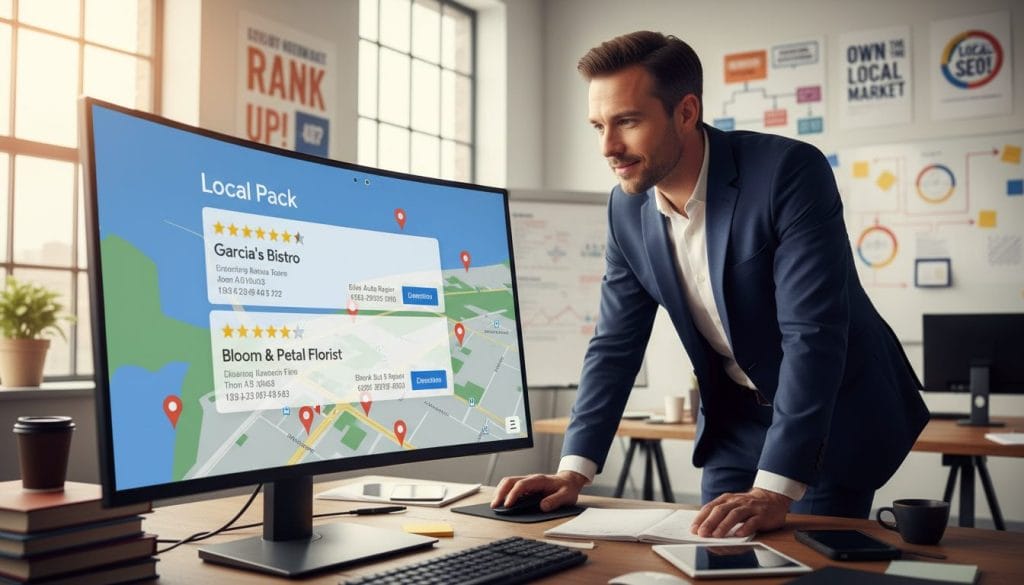
The big three: relevance, distance and prominence
Relevance — does your listing match the search (for example, “emergency plumber Glenelg” vs “plumber Adelaide”)?
Distance — how close you are to the searcher or the location mentioned.
Prominence — signals of trust: profile completeness, reviews, citations and links.
Core inputs you can influence
- Complete your google business profile and set precise categories.
- Collect regular, detailed reviews.
- Keep NAP consistent across citations and directories.
- Build local on-page signals and earn local backlinks.
Local Pack vs Organic Results vs Google Ads
| Where it shows | What influences it most | What you can control this week | Typical user action |
|---|---|---|---|
| Top three local listings in map pack | Relevance, distance, prominence (reviews, citations) | Complete profile, ask for reviews, fix NAP | Call or get directions |
| Organic search results on page | On-page content, backlinks, site authority | Publish a location page, add service pages | Click website or read info |
| Paid ads at top or side | Bid amount, ad quality | Launch a local ad campaign | Click through or call |
“Local search uses relevance, distance and prominence to surface useful results.”
Fact: 98% of viewers read reviews on local business sites, so reviews affect clicks even before any listing is chosen (Source 3).
Cool — now we build those trust signals in order. Next: set up a business profile that Google can actually trust.
Set up a Google Business Profile that Google can trust
A clean, accurate business profile makes it easy for locals to find and trust you. Complete every field, pick a specific primary category, set a realistic service area if you don’t have a public shopfront, and verify legitimately so your listing stays active and usable.

Why it matters: A complete google business profile is the foundation of local visibility. Service-area businesses can hide a public address and still show for local searches if the service area and details are accurate.
- Checklist — fill these: business name, phone number, website, hours, services, appointment links, attributes and a concise description that matches real work.
- Category tip: pick a specific primary category (for example, “Electrician” beats “Contractor”) and only add true secondary categories.
- Service-area safety: hide your address if needed, choose realistic suburbs, and avoid overstating coverage — too-wide areas can trigger issues.
- Verify: postcard, phone, email or video verification. Your address can be used for verification without being public when set as a service-area business.
- Dodgy list: PO boxes, unstaffed virtual offices, duplicate listings, keyword-stuffed names and fake locations — these risk suspension.
Need help? See our Google Business Profile help page for a step-by-step walkthrough.
Google Maps ranking starts with clean NAP and consistent citations
Step 2: Fix your NAP and citations so search engines stop second-guessing you. A clear, consistent business name, address and phone across your website, directories and listings removes confusion and builds trust fast. It’s a simple fix that pays off for local visibility and customer contact.
NAP consistency: the tradie’s toolbox approach
Think of your NAP like a toolbox label—same name, same phone, same address every time. If some sites say “St” and others “Street”, or an old phone number appears, systems hesitate and your local signals weaken.
Common inconsistencies to fix
- Abbreviations: “St” vs “Street”, “Ave” vs “Avenue”.
- Old phone numbers or tracking numbers listed in some directories only.
- Different suburb formatting or missing suite/unit info.
Quick audit and clean-up
- Pick a canonical NAP and lock it in.
- Update your website footer and contact page with the chosen name, address and phone.
- Update major Australian directories — Yellow Pages, TrueLocal, Hotfrog, Yelp, Apple Business Connect, Bing Places and industry sites.
- Find and remove duplicate or incorrect listings.
Privacy-friendly citations for service-area businesses
If you hide your public address, keep the address fields you do share consistent and use the same phone and website on all citations. That way customers and search systems still get the same reliable information without exposing a private location.
Note: If you use call tracking, keep your primary phone consistent on core listings so NAP doesn’t splinter. For hands-on help, check out our local SEO services.
Build local relevance with website content Google can connect to your listing
Step 3: Make your website back up your Google Business Profile. Keep it simple: create clear, unique location pages for the actual suburbs and areas you serve, show proof of real jobs, and keep contact details identical to your listing. This reduces confusion and boosts local signals quickly.
Location pages that actually help
Build one page per real service area. Add project photos, FAQs, approximate pricing and turnaround times. Don’t copy-paste suburb swaps; unique proof beats spammy lists every time.
On-page basics to connect the dots
- Consistent contact — same phone and address as your profile.
- Service keywords in headings and short descriptions.
- Embed a google map on the contact page or explain service area clearly if you hide your address.
Content ideas that earn local searches
Write “How much does X cost in [suburb]?”, seasonal checklists, and job write-ups with suburb context. Use before-and-after galleries with captions that mention the location.
Schema and tools
Add LocalBusiness schema with NAP, opening hours and sameAs links so search systems understand you faster. Check queries in Google Search Console and engagement in Analytics. For a quick site audit, book a free audit.
Reviews that move the needle (and how to get them without being cringe)
Good reviews turn strangers into callers — so build a simple, repeatable way to get them. Ask consistently, make it easy, aim for detail and recency, respond to every review, and never incentivise or gate feedback. Those actions lift trust and deliver real results for your business in weeks.
What really matters
Quantity and recency create momentum — a steady number of new reviews shows activity. Star rating and text detail matter too; mentions of the suburb and service (for example, “hot water repair in Prospect”) give local proof.
Step 4: Build a review engine that doesn’t feel gross
Direct answer: Ask at handover, send a short SMS link, keep the script simple, and reply to every review. Don’t buy or filter reviews — keep it honest.
- Ask briefly in person or by SMS right after the job.
- Include a one-click link and a short example line customers can use.
- Aim for a steady flow, not a burst — recent reviews are worth more.
Asking — the Aussie script
SMS template: “Hi [Name], glad we fixed your heater today. If you’ve got 30 sec, would you mind leaving a short review about the job in [suburb]? Cheers — [Business Name]”.
Replying and using reviews
Reply fast, name the service, thank the customer, and offer to fix issues offline. Turn reviews into local proof by encouraging natural mentions of suburb and service in the text.
“98% of viewers read reviews on local business sites.”
Another survey found that most consumers trust online reviews and look for 4+ stars before contacting a business (BrightLocal Local Consumer Review Survey, 2023). Responding builds trust signals that influence results (Source 2).
Client result: One Adelaide home services client went from low single-digit monthly calls from maps to a steady stream of enquiries after cleaning their profile, fixing citations, and running a consistent review rhythm over 8 weeks.
| Factor | Why it matters | Quick action |
|---|---|---|
| Quantity & recency | Shows active, recent work | Ask every satisfied customer; set reminders |
| Text detail | Provides local proof and service keywords | Suggest a one-line example mentioning suburb and service |
| Replies | Signals engagement and trust | Reply within 48 hours; stay calm and helpful |
Prominence boosters: quality photos, local backlinks and ongoing profile activity
Step 5: Build prominence with proof, not hype. Add real photos, post occasional updates, and earn local backlinks from relationships you already have. This lifts trust with customers and sends steady activity signals to your google business profile without turning you into a content mill.
Photos that help conversions
Use before-and-after shots, team photos, branded ute signage and tidy job-site pictures. Short captions should name the suburb and service.
Why: quality images boost clicks and tell people you actually do the work. If your only photo is a logo from 2014, customers get nervous.
Profile posts plan
Keep posts simple and useful—fortnightly is fine. Rotate seasonal services, recent wins, FAQs and limited-time availability. Include a call button when relevant.
Tip: focus on clarity, not quantity. Freshness matters more than frequency.
Local backlinks that make sense
Build links from suppliers, trade partners, community groups, local news and relevant directories. Aim for a few high-quality, contexted links rather than dozens of low-value ones.
Track impact with tools like BrightLocal or Moz and check GBP insights for calls and directions.
| Action | Why it helps | Quick win |
|---|---|---|
| Quality images | Improves clicks and trust | Upload 5 new job photos with captions |
| Fortnightly posts | Shows ongoing activity | Post a recent job or seasonal offer |
| Local backlinks | Boosts local authority | Ask suppliers for mention or guest blog |
“Small, real signals beat noisy spam every time.”
Conclusion
The simplest path to better local results is consistency, not hacks. Do the basics well: clean profile, matching phone number and address, clear service pages, steady reviews, real photos, local links and simple activity. These steps build relevance, support distance and grow prominence.
Quick recap of the 7 steps: tidy profile, NAP cleanup, location pages, review engine, photos & posts, local links, ongoing monitoring with Search Console/Analytics. Each step helps relevance, distance or prominence for better search results.
Book a free audit at loudachris.com.au
Can I rank on google maps without a shopfront? Yes. Set your listing as a service-area business, hide the public address, pick realistic suburbs, verify correctly and build consistent citations and reviews to prove service coverage.
How long to see a ranking lift? It varies. In low competition areas you can see change in weeks; in busy markets it may take months. Focus on fixable items: profile completeness, citations and steady reviews.
Do I need a website? Not strictly, but a site with clear service pages, matching contact information and schema helps systems connect your listing to local searches. See our local SEO tips and case studies.
Final note: You don’t need tricks — a clean setup and a steady rhythm puts you ahead. Chris and the Loudachris team have seen it work; stick with the plan and keep improving.
FAQ
What are the first steps to get my business listed in the local pack?
How do local pack decisions actually work — is it just luck?
Which profile fields matter most for trust and visibility?
What’s the quickest fix if my NAP is inconsistent across sites?
How do I set up a service-area listing without displaying my address?
Which Australian directories and listings should I focus on?
What website content helps link my site to the profile and improve local relevance?
How many reviews do I need to see a difference, and what type matter most?
What’s the best way to ask customers for reviews without sounding pushy?
Should I reply to every review, and what should I say?
What photos and posts actually boost profile performance?
How do local backlinks help, and where should I get them?
What technical on-page elements should I check for local SEO?
How do I measure whether my efforts are improving local visibility?
Can I recover if my listing gets suspended or flagged?
What mistakes should I avoid that hurt local visibility the most?

Chris Lourenco is the director of Loudachris Digital Marketing, an Adelaide-based SEO, Google Ads, and web design agency. Chris excels in crafting bespoke, results-driven strategies that help businesses get more traffic, leads and sales.


