
Feeling invisible online despite doing great work? You’re not alone. Many a business misses simple signals that help them get found. This guide cuts the fluff and shows six practical ways to appear in more spots than just the blue links.
Short promise: you’ll learn how to get found, clicked and contacted — not chase vanity numbers. We focus on real outcomes for your business and your website, so your phone rings from genuine local interest.
Think search like a street — listings, ads, maps and snippets all matter. Service businesses and eCommerce stores in town need to be seen across these places. Paid search ads sit at the top and cost a small fee per click, so they’re a quick way to test demand.
I’ll lay out six hands-on steps, a quick-wins list, a comparison table, timelines and tracking so you can measure progress. You’re the driver; I’m the navigator with the map. If you want a free audit later, no pressure — just say the word.
Key Takeaways
- Being great at your trade doesn’t guarantee online success — signals must be tidy.
- Appear in ads, maps, snippets and organic results to reach more potential customers.
- Focus on getting found, clicked and contacted — that’s what pays the bills.
- This guide gives six practical steps plus quick wins, timelines and tracking.
- You’re the hero; Loudachris is the friendly guide if you want extra help.
What “Google visibility” actually means for Melbourne businesses
Your online presence sits on several digital shelves people browse when they need a service or product.
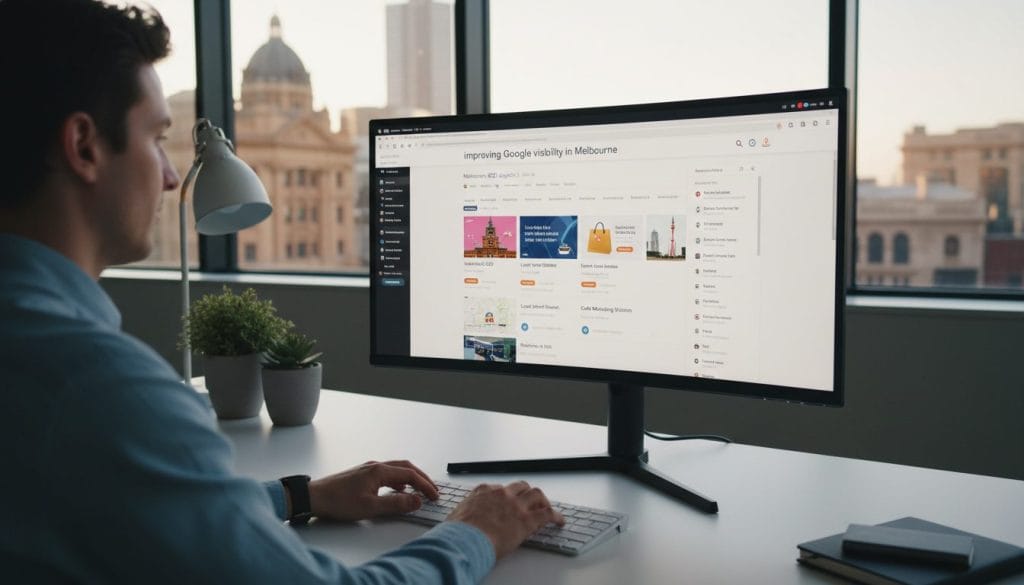
These shelves are practical places where customers find you: Search results, Google Maps (your business profile), Shopping results, YouTube placements and the Display Network.
- Search results show intent — a product name or “near me” query changes who appears.
- Google Maps favours local signals, so suburb terms often push map listings above plain links.
- Shopping, YouTube and Display put visual ads and product tiles in front of buyers across surfaces.
The quick sanity check is simple: impressions (that first sight) → clicks (actual traffic) → enquiries or sales (leads). You can win impressions but lose clicks, or get clicks with no leads. Track each step so you know where to fix things.
Think about tradies, clinics, cafes, local retail and eCommerce that ships into Melbourne — each needs a different mix of shelves. Google Ads can buy coverage fast while organic work builds. Repeated exposure across Maps, Display and YouTube also lifts your brand trust and click confidence, even if the first visit doesn’t convert.
| Placement | When it shows | Best for | Fast win? |
|---|---|---|---|
| Search results | Product names, service queries | Intent-driven leads | No (needs SEO) |
| Google Maps | “Near me” or suburb searches | Local footfall and calls | Yes (GBP fixes) |
| Shopping & YouTube | Product and visual interest | eCommerce and product discovery | Yes (campaigns) |
| Display Network | Broad reach across sites | Brand recall and remarketing | Yes (paid) |
Keep this map in mind as we move to actions you can take this week. A clear mix of pages, local profile care and paid coverage gives the best chance customers find your products services fast.
Key takeaways you can action this week
Start this week with small fixes that make your business easier to find and contact. These are practical, fast wins — do them now and track the change.

Claim and clean your business basics
Fix your Google Business Profile basics: correct category, services, opening hours, and use the same phone and address everywhere.
Match pages to real search intent
Tighten on-page optimisation: map one page to one intent, align titles and headings to real search terms, and tidy internal links so users and bots follow a clear path.
Turn reviews into trust and clicks
Start a review habit: ask after a good job, reply to every review, and make it stupid-easy to leave one. Better reviews lift click-throughs and trust fast.
Add paid coverage where organic takes time
Use google ads for immediate search presence — PPC gets you clicks while SEO gains momentum. Combine paid and organic in one simple strategy.
- If you want a shortcut to priorities, book a free audit at loudachris.com.au.
Fix your Google Business Profile so you show up in Maps more often
A sharp profile turns casual searchers into calls, directions and booked jobs. Your profile is the Maps storefront — it affects local pack placement, call volume, direction requests and trust.
Categories, services and key fields that move the needle
Focus on primary category, add relevant secondary categories, and list core services clearly. Include products if you sell them and tick attributes that match your offering.
“A tidy profile is a trust signal — customers decide fast.”
Photos, posts and Q&A: easy relevance signals
Add job photos, team shots and a clear storefront image. Post updates about offers or completed jobs monthly and seed answers to common questions.
NAP consistency and a simple cadence
Make sure Name, Address and Phone match across directories, socials and your site. Mismatches can quietly kneecap Maps performance.
| Area | Action | Cadence |
|---|---|---|
| Categories & services | Set primary, add services list | Check monthly |
| Photos | Job, team, storefront | Add monthly |
| Posts & Q&A | Seed FAQs, post offers | Monthly |
| NAP listings | Match across profiles | Quarterly clean-up |
Quick tip: One monthly check plus a quarterly listings clean keeps your profile in shape and helps produce better local results without a dev.
Build service pages that target Melbourne suburbs and “near me” intent
Build each service page to match one clear search goal and to convert that traffic into leads. One page, one intent—no scattergun suburb spam. That rule keeps pages focused and easy for users and search engines to understand.
One page per service: clean structure, clear copy, strong internal links
Structure each page so a visitor reads the problem, sees your solution and knows what’s included. Keep copy tight and action-focused.
- Problem: short intro describing the pain or need.
- Solution: what you do and what’s included.
- Who it’s for: ideal customers and use cases.
- Service area notes: suburbs you serve and any limits.
- Proof: a review or case snippet.
- Next step: clear call-to-action (call, form, book).
Location targeting without spam: suburb coverage done properly
Use a single “Service Areas” hub page plus selective suburb pages only where you have real proof or unique notes. Mention suburbs naturally in sentences and embed a map when useful.
Connect each service page to your business profile and to related blog posts or FAQs. Internal links are your plumbing—send authority from helpful articles into the money pages so they climb faster.
| Page type | Best use | When to make one | Timeline to see search traction |
|---|---|---|---|
| Service page (main) | Convert intent-driven visitors | Every core service | 3–6 months |
| Suburb page (selective) | Target competitive suburbs with proof | Only if you’ve done jobs there | 6–12+ months |
| Service Areas hub | Broad suburb coverage and links | Always | 3–9 months |
Local SEO isn’t instant noodles — it’s slow-cooked curry. Be patient, add real proof, and use internal links to speed things up.
Improve on-page SEO so the search engine understands what you do (and who for)
Make each page act like a clear answer to one real customer question. That means one primary query per page, plain-language headings and a single, obvious next step for the visitor.
Titles, headings and metadata that map to real search terms
Use a single primary search term in your title tag and H1, and make subheadings human-friendly. Keep titles short, unique and descriptive so users click through.
Do this: map one page to one intent, write a plain H1, and craft a meta description that explains the benefit in one sentence.
Schema that helps: LocalBusiness, Service and Review markup
Add structured data for LocalBusiness, Service and Review. It helps the engine interpret your offering and may enable richer results like review stars or service snippets.
Mate tip: if you can’t explain your service in one sentence, your title tag won’t either — simplify first.
Speed and mobile checks that stop you leaking conversions
Fast pages keep people on-site. Run Core Web Vitals and fix the big killers: large images, render-blocking fonts and slow scripts.
- Compress and lazy-load images
- Use system or subsetted web fonts to avoid font bloat
- Check tap targets and spacing for mobile users
- Defer non-critical JavaScript
Tie on-page to outcomes: better relevance usually lifts rankings and helps users land on pages that match their needs. That improves both search performance and the chance they take action.
| Area | Quick action | Why it matters |
|---|---|---|
| Title & H1 | One primary query, unique per page | Matches search terms and boosts CTR |
| Metadata | Unique meta description per page | Improves click-through from results |
| Schema | LocalBusiness, Service, Review | Clarifies page intent for richer snippets |
| Performance | Image compress, lazy-load, font audit | Reduces bounce and improves mobile experience |
Get more (and better) reviews to lift clicks and trust
Good reviews act like word-of-mouth in public — they nudge people to click and call. They won’t directly change rankings overnight, but more trust usually lifts your click-through rate, and more clicks help your overall search performance.
Keep it ethical: ask kindly, don’t offer incentives, and focus on making the customer experience worth talking about.
Review requests that feel natural, not needy
Use short, timely asks when the customer is happiest. Three simple scripts that work:
- SMS after job completion: “Hi Sam — thanks for today. If you’re happy, could you leave a quick review here: [short link]?”
- Email after delivery: “Thanks for your order. A one-line review helps small businesses — here’s the link.”
- In-person: “Glad it went well — would you mind leaving a short note? I’ll send a link now.”
Make reviews a repeatable process
Create a review link system: short link or QR code, staff prompts in your job sheet, and a simple tracking spreadsheet. That turns review asks into habit, not a scramble after every job.
Replying to reviews for extra context and credibility
Reply quickly and add helpful context: mention the service type, suburb served and the outcome. Keep it human — not robotic keyword stuffing — for genuine trust and brand warmth.
Handling negative reviews
Stay calm, apologise briefly, invite offline resolution and fix the underlying process that caused the issue. Better fulfilment matters more than any small boost in search performance.
“Good review habits support your goals: steady social proof, more clicks, and clearer results over time.”
Create content that answers buyer questions and earns authority
Write pages that pre-sell customers by answering the practical questions they ask before buying. Keep each page commercial: pricing, comparisons, best-for use cases and checklists that match buyer intent in search.
Commercial content ideas: pricing, comparisons, “best for” and checklists
Formats that attract ready-to-buy searchers:
- Pricing guides that set expectations and reduce calls.
- “X vs Y” comparisons that frame your services as the logical pick.
- “Best for” pages that match customer scenarios and intent.
- Checklists and common mistakes that show expertise and pre-qualify leads.
Use internal links to push authority to money pages
Treat internal linking like a tour guide. Link every commercial page to the relevant service page so visitors and search bots follow a clear path to convert.
Turn sales calls into pages: every repeated question becomes a short, rankable page that reduces call time and increases qualified enquiries.
Publishing rhythm: one strong commercial piece per fortnight, update quarterly. The goal is not pageviews but better quality leads and predictable traffic to your services.
Use Google Ads search campaigns for instant search results coverage
Search ads buy intent: a small bid can put your offer above organic links for the queries that matter. PPC means you pay each time someone clicks — fast, measurable and useful when you need leads now.
How search advertising works (PPC basics)
You bid to appear in search results, set a daily budget, and only pay per click (CPC). It’s immediate data — impressions, clicks and cost — so you can test messages quickly.
Campaign structure and why organisation matters
Split brand vs non-brand campaigns. Group services into tight ad groups so each ad matches intent. One ad group for everything wastes budget and lowers relevance.
Keyword management and negative keywords
Choose keywords by intent, not just search volume. Use match types to control reach and add negative keywords to stop paying for irrelevant clicks.
Ad extensions that boost performance without raising CPC
Use extensions:
- Sitelinks — send people to the right page.
- Callouts — highlight fast facts (free quote, same-day).
- Structured snippets — list services or brands you sell.
- Location & call extensions — great for local callers and foot traffic.
Sanity check on spend: small budgets work if targeting is tight and landing pages match the ad promise. Start narrow, measure clicks and tweak keywords and ads before scaling.
Want a simple setup or review? See the google ads service for a practical campaign approach that suits local teams and small budgets.
Google Shopping for eCommerce: a visual storefront that can lift conversions
Shopping ads put products front and centre — image, price and seller info show before the click, so buyers arrive further down the funnel.
Why Shopping often beats text-only ads: a product image plus price and merchant builds immediate trust. That means clicks tend to be more qualified and conversion rates often improve.
Stat: Impressive reports show Shopping partners could see 30% higher conversion rates compared with text-only ads — but your mileage depends on feed quality, product margins and landing pages. Don’t rely on the stat alone; treat it as a target, not a guarantee.
Feed and Merchant Centre health checks (the unsexy stuff that matters)
Good feeds equal better campaign performance. Check these items first:
- Clear titles, accurate GTINs and correct product categories
- Price and availability that match your site exactly
- High-quality images and correct shipping settings
- Resolve disapprovals and policy warnings promptly
Smart Shopping vs Performance Max vs Standard Shopping: when each fits
Pick control or automation based on goals. Use Standard Shopping when you want fine control over bids and structure.
Smart Shopping bundles shopping with remarketing display for simple setup and quick reach.
Performance Max automates placements across all surfaces and can lift results fast, but it hides some controls — test Performance Max after you’ve proven product-level ROI with Standard campaigns.
Practical optimisation process: feed optimisation, bid management, campaign structuring, A/B testing, competitor checks and ongoing optimisation keep returns improving.
Want a simple setup or help with feed management and campaign techniques? See the Google Shopping help at /google-shopping for a practical service approach.
Remarketing and Display: stay visible after the first click
Don’t let a single click be the last — follow up with thoughtful ads that remind and convert. Remarketing targets people who already visited your site, added to cart, or checked a service page. It’s effective and generally inexpensive, because warm audiences need fewer convincing steps.
Why remarketing works
Warm audiences have shown interest, so clicks cost less and convert more often than cold traffic. A well-timed ad nudges them back to finish the job.
Where display ads can show
- Partner websites — the network covers over 2 million sites (Source 3).
- Gmail placements and YouTube.
- Apps and niche blogs where your customers hang out.
Practical guardrails
Cap impressions, rotate creatives and stop showing the same ad for 60 days straight. Keep messages helpful, not creepy — remind, don’t stalk.
Basic funnel: use search to capture demand, display for brand recall, and remarketing to finish conversions.
Comparison table: Local SEO vs Google Ads vs Google Shopping
Not every ad or page does the same job—this table makes the trade-offs easy to see. Use it to match channels to business goals, whether you sell services or products services.
Speed, cost and where each option fits
| Channel | Speed to results | Cost model | Ongoing effort | Best-fit businesses | Tracking clarity | Common pitfalls |
|---|---|---|---|---|---|---|
| Local SEO | Months to a year+ | Mostly time and small tool costs | Content, citations, reviews ongoing | Local services | Good with set analytics | Slow ROI, needs consistent work |
| Google Ads Search | Minutes to days for live results | Pay‑per‑click | Weekly optimisation | Services and urgent lead gen | Very clear for return investment and measurement | Poor targeting wastes budget |
| Google Shopping | Fast for product exposure | Pay‑per‑click, feed dependent | Feed and bid management | eCommerce and product-led businesses | Strong product-level performance data | Feed errors and disapprovals hurt results |
If you need leads next week, Ads helps; if you want cheaper leads over time, SEO matters; if you sell products, Shopping is often worth testing.
Note: many businesses use a blend because channels cover different moments in the buying journey. See the timelines section for realistic expectations.
How long does it take to improve search visibility (realistic timelines)
Quick wins and slow-build work together — know which is which. Paid search gives immediate reach, while organic work earns results that compound over time.
Local SEO timeframes and what affects them
Most businesses see positive local ranking movement within several months. It can be a few months to a year or more depending on your starting point and how tough the market is.
What moves the needle in the first 30–90 days
- Business profile cleanup: correct categories, hours and contact details.
- Fix key pages: clear titles, H1s and meta copy that match search intent.
- Technical hygiene: address speed, mobile and indexing issues.
- Review velocity: encourage recent reviews and reply to them.
- Content gaps: add short, practical pages that answer buyer questions.
What to expect in 6–12 months
Over six to twelve months you should see steadier results: deeper content, stronger internal linking, more authority and a reliable increase in calls and leads.
Pick realistic targets — aim for “more calls from Maps” or “rank for our main service,” not “rule every suburban search.”
If you want a quick audit to set targets and measure growth, a short review of pages and reviews often shows the fastest wins and the longer road ahead.
Track what matters: visibility, clicks, leads and ROI
Good tracking turns guesswork into a simple dashboard you can actually use each week. Measure the few numbers that link to sales, not every stat in the toolset.
Core metrics to watch
- Impressions — who saw your ad or page (basic reach).
- CTR — does the headline or snippet make people click?
- CPC — the cost pressure per click; keep an eye on spikes.
- Conversion rate — does the page turn clicks into leads or sales?
Set up clean tracking
Use call tracking, form events, booking confirmations and eCommerce purchase tags. Make sure you don’t double-count conversions across channels. Test end-to-end so a sale registers once and in the right place.
Plain-English reporting
Start with a one-page summary: impressions, clicks, leads and return investment. Drill into details only when a goal needs fixing. A good report ties numbers back to revenue and simple next steps.
| Metric | Real-life meaning | Action |
|---|---|---|
| Impressions | How many times you appeared | Improve titles or bids |
| CTR | Are offers appealing? | Rewrite ads or page copy |
| Conversion rate | Do clicks become customers? | Fix forms, landing page or process |
Tip: if you want a tidy tracking check, book a free audit at /free-audit — we’ll look at google ads, tags and conversion management.
Common Google visibility blockers (and quick fixes)
A handful of simple mistakes often blocks good businesses from getting leads. This short checklist helps you triage fast and act without drama.
Thin pages and duplicated suburb content
Copy-paste suburb pages dilute relevance and confuse users. Thin pages also hurt your website authority and waste crawl budget.
Fix path: merge low-value pages, upgrade useful pages with real photos, case notes and reviews, or keep a single service hub with selective suburb pages that show proof. That boosts conversions for targeted services.
Broken GBP details and mismatched business info
Wrong hours, old phone numbers or duplicate listings kill calls fast. Update the profile, set the right category and close duplicates.
Use a single master record for Name, Address and Phone on your website, directories and socials. That keeps the business consistent and reduces confusion.
Shopping feed errors and disapprovals
Merchant/feed health can derail Shopping performance — pricing mismatches, missing GTINs, invalid shipping or policy flags stop products from showing.
Do a weekly feed check in Merchant Centre, fix disapprovals, and keep product data exact. Good feed management pays off fast.
Quick-win triage: 1) fix the thing that stops calls today (phone/hours), 2) fix the thing that stops rankings next (page intent), 3) then optimise for growth (reviews, feed, links).
| Blocker | Symptom | Quick fix |
|---|---|---|
| Thin or duplicate pages | Low engagement, high bounce | Merge or enrich with proof and local notes |
| Broken profile details | Missed calls, wrong directions | Update hours, phone and category; remove duplicates |
| Feed errors | Products disapproved, lost clicks | Weekly feed check, fix GTIN/price/shipping |
“Fix the basics first — customers call, then they read.”
How Loudachris can guide the strategy (without the hard sell)
Want help that’s practical, not pushy? A short audit gives you a clear plan and a prioritised hit-list so you can DIY or hand work to a contractor. Either way, you’ll know what to fix first and what moves the needle fastest.
What a free audit looks at: SEO, Ads, feeds, tracking and quick wins
The free audit checks the essentials and returns a short list of actions with impact first.
- Business profile review — categories, hours, NAP and profile signals.
- On‑page checks — titles, H1s, meta, schema and page intent.
- Technical basics — speed, mobile, indexing and core web vitals.
- Google Ads account — campaign structure, match types, negatives and ad relevance.
- Shopping feed health — feed optimisation, bidding, structure, A/B testing and competitor checks.
- Conversion tracking — calls, forms, eCommerce tags and attribution sanity.
You’re the hero: the audit delivers a ranked to-do list so you can act or pass it to your team or agency.
One client result snapshot: what changed and what improved
We cleaned up tracking, tightened keywords and rebuilt two core landing pages. Enquiry conversions rose 28% in eight weeks while wasted spend fell thanks to crafted negative keywords and tighter campaign structure.
“Search advertising is also known as pay-per-click or PPC as you pay a small fee each time someone clicks on your ad.”
| Area checked | Typical fix | Quick impact |
|---|---|---|
| Account structure & campaigns | Split brand/non‑brand, add negatives | Lower wasted spend |
| Shopping feed | Title cleanup, GTINs, shipping | More approved products, better ROAS |
| Tracking & tags | Single-source conversion events | Accurate ROI and better bids |
Chris Lourenco / Loudachris acts as the guide — practical advice, no hard sell. If you want clarity and a short action list, book a free audit. See also /seo and /google-ads for services that can follow the audit.
Conclusion
Stack practical fixes and you’ll see gradual improvements in search and leads.
Summary: tidy your business profile, build focused suburb and service pages, sharpen on-page SEO, collect better reviews, use search ads, then add Shopping and remarketing. These six steps cover quick wins and longer plays so your company gets more useful results, not vanity metrics.
Expect local SEO to take months to a year+, so plug the biggest leak first and add work weekly. If you want a hand, book a free audit at loudachris.com.au — no hard sell, just clear priorities.
FAQ
What’s the fastest way to improve search results?
Fix your business profile and key landing pages first. Correct categories, hours and phone, then match ad copy to intent — that gives fast clicks and better leads.
Is Local SEO or search ads better for my business?
Use ads for immediate demand and local SEO for long-term, lower-cost returns. Combine both based on budget and goals.
How long until SEO starts working?
Most businesses see movement in months; meaningful gains often take 6–12 months depending on competition and effort.
Measure what matters: track leads and ROI, not just ranks or impressions. If you want help, get touch and we’ll point to the biggest wins.
FAQ
What does “Google visibility” actually mean for my business?
How quickly can I expect to see results from local SEO?
Should I focus on my Google Business Profile or on-page SEO first?
How many reviews do I need to improve clicks and trust?
Are paid campaigns necessary if I do SEO?
What’s the simplest way to avoid wasted ad spend?
How should I structure service pages for suburb targeting without sounding spammy?
What schema types should a local business use?
My product feed keeps getting disapproved — what should I check first?
How do I measure whether visibility improvements are actually driving ROI?
What are the most common visibility blockers and quick fixes?
How can I naturally ask customers for reviews without sounding needy?
When should I consider using remarketing and display campaigns?
What does a practical free audit look at?

Chris Lourenco is the director of Loudachris Digital Marketing, an Adelaide-based SEO, Google Ads, and web design agency. Chris excels in crafting bespoke, results-driven strategies that help businesses get more traffic, leads and sales.


