
If people can already find you on Maps, you may as well control what they see — otherwise Google will guess. This short guide shows how to take charge, with quick wins that lift local seo and turn searches into calls, visits and direction requests.
A google business profile is the free listing that appears in Search and Maps. It’s the first place customers check for hours, photos, and reviews. It won’t do miracles, but a tidy profile makes your business look legit and boosts local visibility.
Stats matter: on average businesses get 157 direct searches and 852 discovery searches per month — that’s real intent, and often ends in calls, store visits or direction clicks.
I’ll walk you through 10 clear steps. Each step gives a 40–60 word action, then the proof you can use. Chris Lourenco from Loudachris Digital Marketing has seen the patterns — I’ll point them out as we go.
Want the bigger picture? See local SEO in Adelaide for more depth and tactics that fit Aussie businesses.
Key Takeaways
- Verify your listing properly — don’t let Google guess your details.
- Nail categories and NAP (name, address, phone) for consistent search results.
- Add services, products and quality photos to improve conversions.
- Build a simple review system to gather and respond to customer feedback.
- Track with Insights and UTM tags to measure what actually drives visits.
1) Claim your listing and get verified properly
Claim the right listing first — then verify it so random edits stop turning your entry into a circus. Once you control the listing you can fix hours, replies and photos so people find accurate information and call or visit when they should.
Search google maps for your trading name. If a result exists, choose “claim this business” rather than creating a duplicate. Duplicates confuse customers and split reviews.
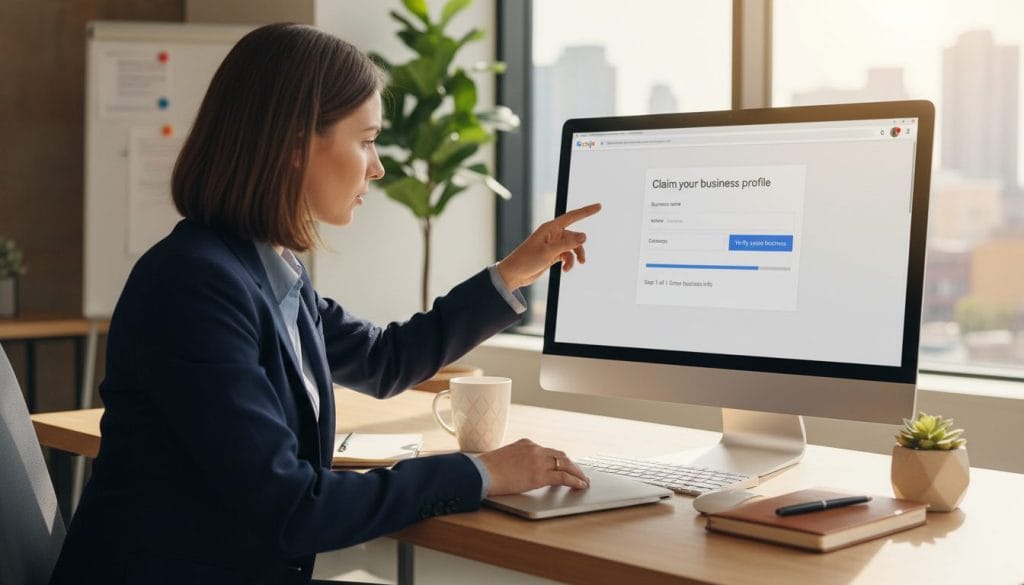
- Go to google.com/business, select “find and manage”, pick your listing and start verification.
- Follow Google’s verification method — postcard, phone, email or video — and prepare what’s needed: access to mail at the address, the business phone, or a tidy workspace for a short video.
- If there’s already an owner, request access/ownership and gather proof: ABN, signage photos, domain email and recent invoices to speed approval.
A verified business profile lets you respond to reviews, edit hours, add services and update your website link. If you want help cleaning a messy listing, consider Loudachris “Google Business Profile Optimisation” info on the site.
2) Lock in your business name, short name and core details
Use the name customers see in real life — it keeps issues and penalties away. Then grab a sensible short name for review links and make sure your NAP (name, address, phone) and website match across listings so customers and systems get the same information.
Why this matters: Google may penalise titles that add extra keywords or locations. A name that matches your signage, invoices and ABN looks legit to search engines and to real people.
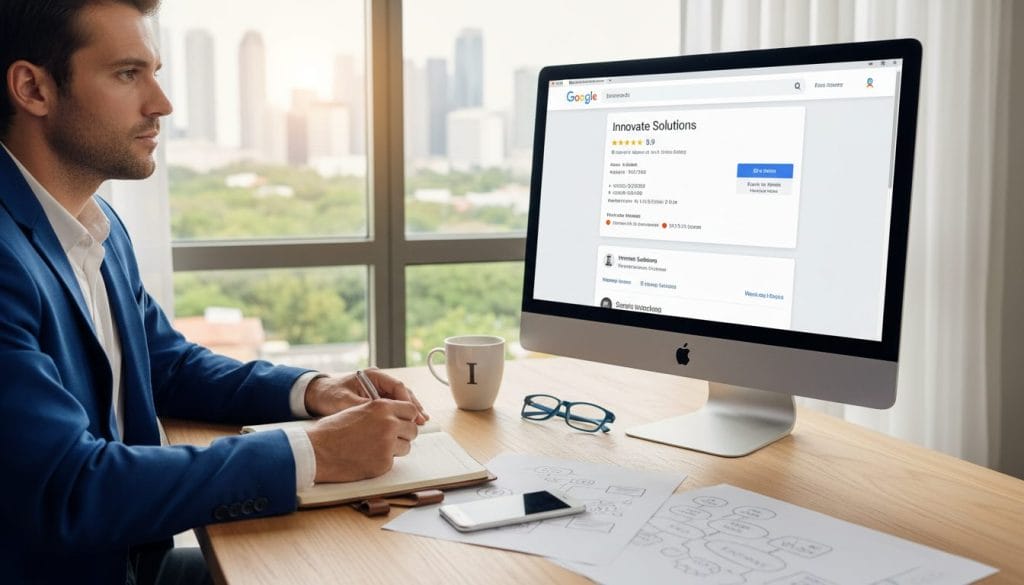
“Keep the public name honest — exact, simple and exactly what customers recognise.”
Quick checks and examples:
- Good: “Smith Plumbing” — clear and matches your sign.
- Spammy: “Smith Plumbing – Emergency Hot Water Repairs Sydney” — avoid this.
- Multi-location: add suburb only if it’s on your real signage or official trading name.
Short name tips: choose a short name that’s memorable and consistent with your domain. It’s used for review links and must be unique.
- NAP checklist — primary phone, full address, regular hours, holiday hours, and the correct website page (use a location landing page if you have one).
- Make sure habit — review hours and phone numbers monthly, update booking URLs when they change.
3) Choose categories that actually help you show up
Your primary category should mirror your cash‑cow service, not your wish‑list of keywords. Pick the one thing you sell most, then add only genuinely relevant secondary categories. This gives maps and people a clear signal and keeps search results focused on your offer.
How categories affect visibility
Categories shape which searches surface your business and what profile features you get. The primary category has the biggest impact; secondaries refine it.
Quick competitor recon
- Search your service + suburb on google maps.
- Open top listings and note their primary and secondary categories.
- Look for patterns you can match without copying irrelevant labels.
When to test a more specific category
Try a niche category if the broad one is crowded. Change one thing, wait 3–6 weeks, watch Insights, then decide—don’t tweak daily.
“Pick precise categories that match real services — they help people find you and stop your listing getting lost in noise.”
| Type | Competition level | Ranking opportunity | When to use |
|---|---|---|---|
| Broad | High | Lower per niche, wider reach | If you serve many services and need volume |
| Specific | Lower | Higher for targeted searches | When you specialise or want local search wins |
| Mixed | Medium | Balanced | Use primary specific + relevant secondaries |
Warning: irrelevant secondary categories can harm rankings and confuse customers. Keep it honest, test slowly, and you’ll stay in control.
4) Set your location and service areas so Maps can trust you
For tradies and delivery teams, the right setup is simple: show a physical address only if customers actually visit. If you work on the road, switch to service areas so people know where you’ll go.
Two setups, different customer experience. A storefront welcomes walk‑ins and needs an exact location. A service‑area business avoids public visitors and lists suburbs instead — this keeps your address private and reduces awkward drop‑bys.
How to pick and manage service areas
- Choose real suburbs or regions you actually serve — be honest and precise.
- Keep the list tidy; update it when you expand or cut coverage.
- Remember: adding lots of service areas won’t magically boost search rank, but it helps people and clear business information.
Pin placement — don’t send customers to the wrong driveway
- Place the marker at the building centre; include the correct unit/level.
- Avoid main roads or neighbouring lots; check the pin on google maps.
| Setup | When to use | Customer impact |
|---|---|---|
| Storefront (address shown) | Walk‑in retail or service centres | Clear for customers who visit; visible on the page |
| Service‑area (no address) | Tradies, mobile trades, deliveries | Protects privacy; shows areas you cover |
| Pin accuracy | All businesses | Prevents wrong arrivals and improves trust |
“Set it to match real life — it saves time, calls and confused customers.”
5) Add services and products (even if you “don’t sell products”)
Showcase your main services and treat fixed-price packages as ‘products’ to drive clicks to the right page. That gives searchers a fast read and points customers to the exact website page you want them to see.
Where they appear and why it matters
Services show on mobile and in Maps, so include a short 300‑character description and a pricing tag (Free, Fixed, From) when it helps. Products sit prominently and can use a category, an image, a price and a landing page URL — you get a 1,000‑character description if you need it.
How to write them
- Readable first, keyword-aware second — write for people, not robots.
- Use clear names: “Emergency call‑out” or “Roof leak inspection — Fixed $199”.
- Link each product to a matching page on your website, not the homepage.
Quarterly tidy-up
Check auto-suggested services at least every three months. Remove irrelevant entries and align listed services with what you actually sell. A small curated set converts better than a long, confusing menu.
“Make it obvious what you do — a neat menu of services and a few product packs wins clicks.”
6) Write a description and attributes that win clicks (not just keywords)
Front‑load your value — the opening line must get people to click before they hit “More”.
Keep the description human and short. The full limit is 750 characters, but only the first ~244 show without expansion. Use that space for your elevator pitch: who you help, what you do, where you operate, plus one quick proof point.
Simple formula: who + what + where + proof + next step.
- Who: “Local cafes and caterers”
- What: “commercial espresso servicing”
- Proof: “10 years, 12‑month warranty”
- Next step: “call for same‑week service”
Attributes reduce friction. Tick things like wheelchair accessible, card payments, appointment required, and women‑owned if true. These help customers self‑qualify and cut wasted calls. Accuracy matters — incorrect info leads to angry reviews and lost trust.
“Write for people first — keywords second. A clear description lifts clicks and keeps the right customers coming.”
| Element | Why it matters | Practical tip |
|---|---|---|
| Opening 244 chars | Most users see this first | Lead with benefit and location |
| Full 750 chars | Extra detail and proof | Add services, hours and link |
| Attributes | Removes friction | Keep them truthful and current |
7) Upload photos and videos that make people choose you
Real photos beat staged stock every time — they cut doubts and get people through the door.
Quick wins: profiles with 100+ photos get 520% more calls and customers are more likely to request directions when images are present. In short, photos = fewer doubts and more visits.
Image specs cheat sheet
- Format: JPG / PNG
- File size: 10KB–5MB
- Min: 250×250 px — Recommended: ~720×720 px
- Logo: 720×720 px | Cover: 1024×576 px
- Video: up to 30 seconds, clear audio and steady framing
What to shoot
- Exterior signage so people recognise your location
- Interior to set expectations
- Team shots — faces build trust
- Work-in-progress, before/after and proof items (licences, awards)
- Vehicles for tradies — they help on-the-road recognition
Cover and freshness strategy
Cover: bold, high-contrast, square-friendly crop in your brand colour — no cringe stock handshake.
Freshness plan: spend 10 minutes a month adding 3–5 new photos and a short walkthrough video when you can.
“Real, recent images answer questions faster than long descriptions — they’re your silent salesperson.”
Monitor the “By customer” section, keep helpful guest shots, and report anything irrelevant. If you need help linking visual marketing to ads, see a practical guide like google ads for photographers.
8) Reviews: the trust signal Google openly uses for local ranking
Direct answer: build a simple system to ask happy customers for reviews, reply to every one calmly, and report the genuinely fake stuff using Google policies — because reviews influence clicks and local visibility.
What the platform looks at: quantity, average score and relevant keywords inside reviews matter for ranking and for people choosing to call or visit.
“Google review count and review score factor into local search ranking. More reviews and positive ratings can improve your business’ local ranking.”
How to collect them: SMS after job completion, a short follow-up email with a link, a QR code on your receipt, and a polite in-person script: “If we did a good job, would you mind leaving a quick review?” Keep it natural.
Responding to negatives: thank them, apologise if needed, outline the next step, and take details offline — don’t argue publicly.
- Flag only clear policy breaches — spam, hate, off-topic or conflict of interest — expect a wait for action.
- Turn good reviews into marketing: embed snippets on your site, use quotes on service pages, and pull themes into FAQs without exaggerated language.
9) Track performance in Insights and tighten what’s working
Check Insights monthly and focus on one or two metrics that actually move the needle. Pick metrics like calls, directions or website clicks and make simple tests: change a service line, update a photo, then measure the result.
Key metrics and what they mean
- Calls — urgent intent; people want to talk now.
- Directions — ready to visit; high purchase intent.
- Website clicks — researching; they want more detail before booking.
- Searches and views — volume signals for category visibility vs brand strength.
Direct vs discovery searches — short explanation
Direct searches are people looking for your name; discovery searches are people finding you by category. On average businesses see about 157 direct and 852 discovery searches per month. If discovery dominates, tighten service copy and categories. If direct leads, protect your name and contact info.
UTM setup — a quick example
Tag the website URL in the profile so Google Analytics shows real sessions and conversions. Simple naming convention example:
- utm_source=google
- utm_medium=local
- utm_campaign=gmb_profile
Full URL example: /service-page?utm_source=google&utm_medium=local&utm_campaign=gmb_profile
Real result: One Adelaide tradie tightened categories, added service pages and UTM tracking. Website clicks from the profile rose 38% in 8 weeks while phone calls stayed steady — so we knew the profile fed higher‑intent page visits.
“Measure it, then tweak what works — data beats guesswork every time.”
Want help measuring? See our SEO audit for setup tips and tracking examples.
Closing thought: a tidy page, fresh photos and prompt replies turn casual searches into real customers.
Quick maintenance rhythm: once‑off setup — verification, correct details and categories; weekly — reply to reviews; monthly — add photos, offers and check Insights; quarterly — clean services and product entries. These small habits keep your business visible without heavy SEO work.
You’re the hero here — consistency and real proof win. If you want a second pair of eyes, Chris at Loudachris can help.
Book a free audit at loudachris.com.au
Useful links: /contact • /local-seo
Conclusion
How long does it take for a google business profile changes to show?
Most updates appear within a few minutes to a few hours, but some edits (verification, address or category changes) can take several days. Allow up to 72 hours for full propagation and check Insights after a week to confirm effects.
Do keywords in my business description help rankings?
Keywords help click‑throughs more than rank. A clear, useful description attracts customers; spare forced keyword stuffing. Focus on readable text that explains services, location and one proof point to lift conversions.
Can I rank in suburbs where I don’t have an address?
You can appear for nearby suburbs using service areas, but realistic coverage matters. Competing without a physical address is tougher—concentrate on accurate service areas, local pages and links to improve chances.
What if someone keeps suggesting edits to my profile?
Review suggestions regularly and accept only accurate changes. Claim ownership, set notifications and reject wrong edits. If persistent, gather proof (photos, invoices) and contact support or use the owner dispute tools.
Should I use a call tracking number on my page?
Call tracking gives clear call data, but multiple numbers can confuse citations. If you use tracking, keep your main public phone consistent across listings and note the tracking number in analytics only to avoid NAP mismatches.
FAQ
How do I claim and verify my listing properly?
Should I change my business name to include keywords for better search results?
What’s a short name and why should I set one?
How strict should I be about matching NAP across the web?
How do I pick the right primary and secondary categories?
When should I show my address on the listing?
Do I need to add products and services even if I don’t sell online?
What should I write in the business description to win clicks?
What photos and videos perform best on Maps and search?
How do I build a reliable review system?
What should I do if I spot fake or abusive reviews?
Which Insights metrics matter most for improving local ranking?
How often should I update my listing to keep its performance up?
Can I track the impact of my listing on customer actions?

Chris Lourenco is the director of Loudachris Digital Marketing, an Adelaide-based SEO, Google Ads, and web design agency. Chris excels in crafting bespoke, results-driven strategies that help businesses get more traffic, leads and sales.


