
Set the scene: In 2026, people still turn to search when a tap’s spraying, a hot water system fails or a drain blocks. You want to be the first decent option they see — not a random ad in a suburb you’d never drive to.
I’ll give you seven clear tactics: targeting, keywords, negatives, ads, landing pages, LSAs and tracking. Each tactic starts with a quick answer, then proof and real Aussie examples so you can skim and act fast.
Chris Lourenco at Loudachris Digital Marketing has seen what works for trades around Adelaide. I’ll mention that once—then it’s all about your business and what you can change this afternoon.
If your ads are showing in the wrong suburb, we’ve got a fix for that. Expect practical, cheeky tips and direct steps to improve local plumbing performance and smart marketing without wasting budget on random clicks.
Key Takeaways
- Search is still the go-to for urgent home plumbing problems.
- This guide gives seven practical, skimmable tactics to get better calls and bookings.
- Each tip: quick answer first, then proof and Aussie examples.
- Fixes cover targeting, keywords, negative lists, landing pages, LSAs and tracking.
- Loudachris has tested these on local tradies; adapt them to your service area.
What “more leads from Google” actually means for a plumbing business
Getting more contact is easy; getting the right contact is what pays the bills. In plain terms, a useful lead is one that turns into a booked job — not a curious click or a price-check email. Treat search traffic like two distinct buyer moods and you’ll waste less budget and get better results.
Key Takeaways
- Split emergency vs quote campaigns — they behave and convert differently.
- Tighten suburbs so you don’t pay for phone numbers you won’t service.
- Use negative keywords weekly to stop tyre‑kickers.
- Send clicks to a matching landing page for the best ROI.

Calls vs form fills vs booking requests (and why it matters)
In trade terms, a phone call usually means urgency and a higher close rate. Form fills can convert well, but they often belong to people comparing options. Booking requests — whether via an LSA or a form — are closest to a sale if your calendar and follow-up are tight.
Urgent jobs vs quoted work: two different buyer modes
Emergency jobs are “fix it now” and should trigger search ads that push tap-to-call. Quoted work is slower — people compare and think. Run separate campaigns, use different landing pages, and judge success by cost per booked job, not impressions.
If you can’t prove which jobs came from search, you’re guessing with a credit card. For a practical setup, see Google Ads for plumbers and adapt the tracking ideas to your business goals.
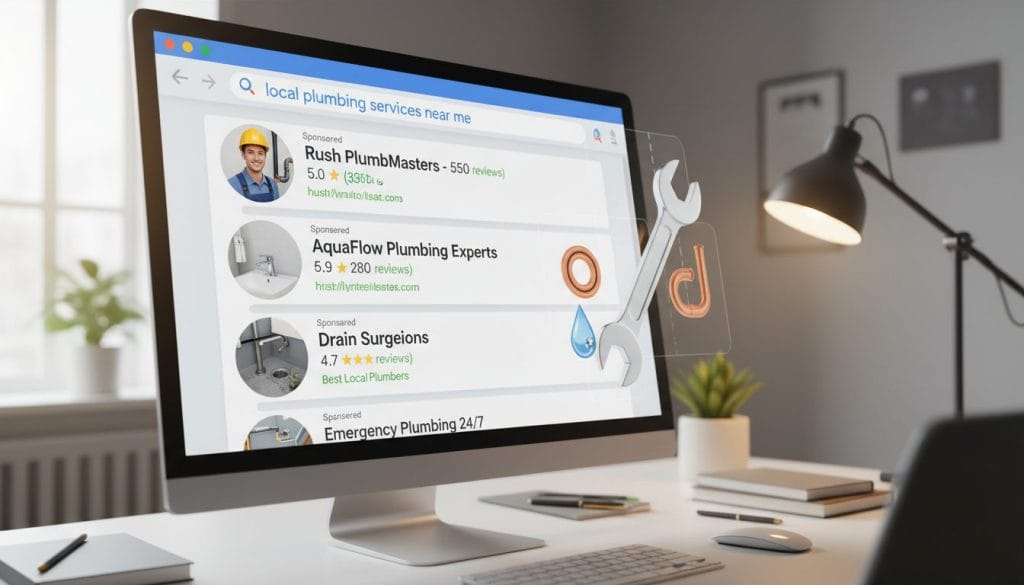
How Google decides who shows up first in local search results
Local search works like a shortlist — Google picks who looks most useful, nearest and fastest. That shortlist shapes the search results you see, and it’s what determines your visibility to the right people in your area.
Local intent, distance and relevance explained
Think of three simple checks: intent (what the person wants), distance (how close they are) and relevance (who matches the job). If you tick all three, you climb the list.
Why “near me” searches reward tight service-area signals
People asking “near me” want an answer fast. They scan the top options and call within minutes. Tight service-area signals stop clicks you can’t handle and save you time and budget.
Stat placeholder: Think with Google’s data on nearby search behaviour — speed and location matter.
Three simple signals Google reads
- Service suburbs listed clearly on your site.
- Consistent business info (name, address, phone).
- Location settings in your ad campaigns.
Once you see how ranking works, you can choose campaign types that get you in front of the right people faster.
Pick the right Google Ads campaign type for the job (Search, Display, LSAs)
Different problems need different tools — choose the campaign that matches the job. Emergency calls act fast and need a direct response. Quote seekers take longer and respond to trust signals. That split decides whether you use Search, Local Services Ads or Display.
Google Search Ads for high-intent queries
Best use: urgent searches that include suburb and problem words. Search ads catch people typing things like “emergency blocked drain” so intent is high and calls come quick.
Local Services Ads for trust-first customers
Best use: service-focused customers who want proof. LSAs can appear above other ads and carry a Google Guarantee badge after verification. They charge per valid lead, not per click, which helps with trust-first volume.
Display Ads for remarketing and brand visibility
Best use: follow-up and brand recall. Display advertising rarely works for cold emergency searches, but it’s brilliant for reminding people who visited your site to return and book.
| Type | Best for | How you pay | Lead speed | Trust factor | Ideal use-cases |
|---|---|---|---|---|---|
| Search | High intent, urgent jobs | Cost per click | Fast | Medium | Emergency calls, same-day fixes |
| Local Services Ads | Trust-first, comparison shoppers | Pay per lead | Medium | High (badge) | Booked services, vetted enquiries |
| Display | Brand recall, remarketing | CPM or CPC | Slow | Low–Medium | Remarketing, seasonal campaigns |
Practical ladder: start with Search for urgent work, add LSAs to capture trust-first volume, then layer Display remarketing once you have traffic to follow up. That combo mixes speed, trust and brand presence without wasting budget.
Build a geo-targeted structure that stops paying for the wrong suburbs
Start by matching where you’ll actually drive to — not every postcode deserves your ads. Split locations by real drive-time and profitability, then exclude the areas you won’t service so your budget stops feeding accidental clicks.
Radius targeting vs suburb targeting
Use radius targeting in dense metro areas when you need “near me” coverage and fast calls. Radius catches people close by, even if they don’t name a suburb.
Choose suburb targeting when you know the exact suburbs you want or when certain pockets are low-value and should be avoided.
Campaign structure example
Keep it simple: Run separate campaigns for Emergency, Hot Water Repairs and Blocked Drains. Each campaign should have its own locations, ads and landing page tailored to the service and buyer intent.
Location exclusions and settings
If you don’t exclude it, Google will happily spend there.
Make sure location settings use Presence (people actually in the area), not Presence or interest. Then add exclusions for distant towns, low‑profit suburbs and travel‑fee boundaries.
- Checklist: suburbs in, suburbs out, after‑hours radius, travel‑fee limits.
Keyword strategy that attracts buyers, not DIY browsers
Focus on search terms that signal a real job in a real suburb, then control traffic with match types so you pay for callers, not browsers.
Direct answer: Target high‑intent service and problem keywords with suburb modifiers and use phrase plus exact match to filter out DIY and comparison traffic. Start broad enough to collect data, then tighten to exact once a term converts reliably.
Core service keywords that scream “I need a fix now”
- Direct answer: Use terms like “emergency 24/7 [suburb]” and “local emergency service” to capture urgent callers immediately. Evidence: these phrases include urgency and location, which raise buyer intent and call rates. Example: “emergency plumber near me” converts better than “plumbing tips.”
Problem-specific keywords
- Direct answer: Target issues—“blocked drain services”, “burst pipe repair [suburb]”, “hot water repair”—because people with a problem usually want a technician fast. Evidence: problem words show intent to fix, not learn. Match ads and landing pages to the exact problem for higher conversion.
Service-specific keywords
- Direct answer: Use service names—“pipe relining [area]”, “gas fitting service”, “bathroom renovations”—for planned work that needs quotes and trust signals. Evidence: these keywords attract customers further down the funnel; pair them with proof (licenses, gallery) on the landing page.
Match types: phrase vs exact for quality control
- Direct answer: Start campaigns with phrase match for coverage, promote strong performers to exact match, and watch close variants. Evidence: phrase captures useful variations; exact cuts waste. Make sure each keyword theme has a matching ad and a matching landing page so relevance is obvious to both search engines and people.
Rule of thumb: “repair” and “near me” usually mean a job; “how to” usually means DIY — exclude those negatives.
Use negative keywords to protect your budget (seriously)
Stop throwing cash at vague searches — negative keywords are the shield that saves your budget. Build a list on day one and treat it like a living document you check every week.
Common money‑burners
- DIY, how to, washer, parts
- Bunnings, wholesale, TAFE, course, apprenticeship
- salary, jobs, vacancy — they’re not customers
Weekly search terms review
Open the Search terms report in google ads, sort by cost and clicks, and add negatives for irrelevant queries. Tag any surprising queries that look like real opportunities to build new ad groups later.
Every irrelevant click is a paid click — Google won’t apologise for wasting your advertising cash.
Don’t go too far: keep words like “repair” and “service” active. The aim is to stop bad intent, not block the whole trade. A tidy negative list saves you time and improves the quality of incoming leads, so your phone rings for paying jobs, not tyre‑kickers.
Create ads that earn the click and the call
Good ads mirror the problem and the suburb, then make calling obvious. Keep copy tight, match the search terms and give people one clear action — usually a tap-to-call or a booking button. That simple match lifts clicks and improves conversion data for better results.
Message match: mirror the keyword and the suburb
Direct answer: Write ads that repeat the search (service + suburb) and make calling dead simple using call and location extensions, so urgent customers ring straight away.
Extensions that matter
Prioritise call extensions for mobiles, location extensions for trust, and services or structured snippets so people scan fast.
- Mini template: “Emergency [service] [Suburb]” — “Same-Day Help” — “Licensed & Insured” — “Call Now”.
- When the ad repeats the search, it feels like a fit and conversions rise.
- Avoid vague copy like “Quality Plumbing Solutions” — it doesn’t help at 11pm with a burst pipe.
- Better ads give cleaner data, so you can see which message pulls real customers and which advertising lines waste budget.
Design a landing page that turns clicks into booked jobs
Your ad’s promise needs a matching page that makes calling or booking obvious. Build one focused landing page per core service—emergency, blocked drains, hot water—so paid clicks become booked jobs, not bounces.
Above-the-fold essentials
Direct answer: Headline should repeat the search term, with a large tap-to-call button and a three-field form (name, phone, job type) visible without scrolling.
Evidence: Faster matches reduce friction; short forms raise completion rates and bring clearer conversion data for google ads.
Trust signals
Direct answer: Show licence numbers, recent Google reviews, real job photos and honest association logos in the trust stack.
Evidence: Visible credentials shorten buying time; people book more often when they see real proof on the page and website.
Service-area proof
Direct answer: List the suburbs you service and include a simple coverage map so visitors self-qualify quickly.
Evidence: Clear area proof lowers wasted enquiries and raises conversion rates for local campaigns.
Urgency and availability
Direct answer: Use honest tags like “same-day”, “on-call”, and realistic response times so customers know what to expect.
Evidence: Specific timing beats vague promises and drives more booked jobs than generic copy.
| Element | Direct answer | Evidence |
|---|---|---|
| Headline | Repeat ad keyword and suburb | Tighter relevance = higher conversions for landing pages |
| CTA | Big tap-to-call + short form | Mobile clicks turn into phone bookings faster |
| Trust stack | Licence, reviews, photos, logos | Visual proof increases customer confidence |
| Service area | Suburb list + map | Visitors self-filter, reducing wasted jobs |
Note: A relevant landing page lifts your campaign performance by aligning ad, keyword and page intent — better results, less guesswork.
Speed and mobile-first fixes that lift conversions
Speed and mobile friendliness decide whether a click becomes a call or a wasted visit. If most clicks are on mobile, your site must load fast and let people call with one tap. Otherwise you pay for visitors who give up before they contact you.
Direct answer: If most traffic arrives on phones, make the landing page fast and the tap-to-call obvious — that saves time and raises conversion rates in google ads campaigns.
Make sure tap-to-call works on every device: put a clickable number in the header, use a large call button above the fold and test on iPhone and Android. Ensure the button opens the dialer with one tap; no extra pages, no broken links.
Load time basics — speed kills leaks: slower pages cause drop-offs, especially for urgent services. People will hit back and call the next provider if your page takes too long.
- Compress images and serve modern formats — this helps your website load fast.
- Remove heavy sliders and trim unneeded plugins; keep the landing page focused, not a 12‑section saga.
- Minify CSS/JS and use browser caching to reduce load time.
- Optimise critical content so customers see the call button instantly.
Quick testing routine: check the page on 4G, test after hours, submit the form yourself and tap the call button. Track results and repeat tests after any change so your google ads spend actually converts.
Remarketing that follows window-shoppers until they’re ready
Direct answer: Set up remarketing so people who visited a service page but didn’t call keep seeing simple, helpful reminders. These ads nudge them back when they’re ready to book — especially for non‑emergency, quoted work where decision time can stretch over days.
Display remarketing for people who didn’t call
Display ads help you stay top of mind across the decision cycle. Use short, clear creative: a review snippet, a suburb message and a “same‑week bookings” note.
Keep it helpful — not creepy
Differentiate emergency vs non‑emergency. Emergencies convert fast, so remarketing is low value there. For quote work, remarketing matters — it rescues clicks that would otherwise vanish.
- Ad angle examples: review star, “servicing [suburbs]”, “same‑week availability”.
- Limit frequency so you build visibility, not annoyance.
- Only remarket once landing pages and targeting are tight — otherwise you’ll retarget the wrong audience and waste budget.
Practical result: sensible remarketing can lower cost per booked job by bringing back people who almost converted.
Use these ads as a tidy piece of your broader marketing mix. When paired with good google ads targeting and focused advertising, remarketing lifts visibility, supports your brand and improves overall results without being a pest.
Local Services Ads and the Google Guarantee: when it’s worth it
Direct answer: LSAs are worth testing if you want trust-first leads and you can answer the phone fast. You pay per lead, the Google Guarantee badge lifts conversion in busy metro areas, and good responsiveness usually beats cheaper click-based campaigns.
How LSAs charge: pay per lead, not per click
With LSAs you pay for each valid enquiry, not each click. That matters when click costs are high and the enquiry quality is solid — pay-per-lead can lower your cost per booked job.
Verification and the reality of setup
Expect business checks: background screening, licence confirmation and possible verification fees. Keep your ABN, licence details and insurance tidy — messy records slow approval and waste time for businesses trying to scale.
Responsiveness: the tradie truth
Answer quick. LSAs rank on response speed and your reply rate. If your team misses calls or replies late, the platform will favour others who pick up faster.
“The money’s in the follow-up.” — Loudachris Digital Marketing
Where LSAs show and why it matters
LSAs can appear above search ads in many metro areas, so they’re prime real estate for local advertising. Treat them like a high‑trust channel: track enquiries, refine management and measure real results rather than vanity metrics.
Multi-channel support that makes Google campaigns work harder
Direct answer: Use search as the engine, then let a few smart channels push your name until someone makes the call. Back up search with remarketing and social so people see you more than once — that repetition helps win the first call when they’re ready.
Why visibility across channels helps win the first call
When a bathroom’s flooding, people call the first visible option. That means your job is to appear fast and often in the few places your audience checks.
First-call wins: show intent-based ads for urgent searches, then show a brief reminder on display or social so your name is the one they tap.
Retargeting and social as backup for longer decision cycles
Not every job is an emergency. For quote work, remarketing and social keep your brand front of mind while people compare options. This helps you grow business without depending on one channel alone.
- Search + LSAs — capture demand and trust.
- Display remarketing — bring visitors back for a second look.
- Facebook/Instagram — light reinforcement in target suburbs.
| Channel | Primary role | Best use |
|---|---|---|
| Search | Demand capture | Urgent jobs, tap-to-call |
| Local Services Ads | Trust and verified enquiries | Comparison shoppers, booked work |
| Display & Social | Reminder and brand build | Remarketing, seasonal promos |
Note: Be selective — multi-channel isn’t being everywhere, it’s being where your people already spend time. Keep tracking consistent so you can compare results and grow business with clarity.
Tracking and attribution: prove which jobs came from Google
Good tracking turns vague clicks into measurable business decisions. Set up basic conversion actions and call tracking so you see which advertising channels actually deliver booked work, not just noisy clicks. This makes optimisation practical — you change bids and copy based on real results.
Direct answer: Set up call tracking and proper conversion actions so you can see exactly which campaigns create booked jobs, then optimise based on cost per booked job, not guesses.
Call tracking numbers and recording (with clear consent)
Use unique numbers per campaign or ad group and set a call-duration threshold to filter nuisances. Optional call recording is useful for quality checks — always tell customers the call may be recorded and why, and store recordings securely for your team.
Conversion actions to track
- Phone calls from ads (call extensions)
- Phone calls via website tracking numbers
- Form submissions and booking requests
- LSA enquiries and booked appointment confirmations
Simple ROI view: cost per lead vs cost per booked job
Track spend → leads → booked jobs → revenue. Most businesses stop at “calls” and lose the true picture. Compare cost per booked job to your margins and use that to set campaign goals and bids.
| Metric | What to track | Action |
|---|---|---|
| Spend | google ads + LSA costs | Monitor weekly |
| Leads | Calls, forms, bookings | Tag source and duration |
| Booked jobs | Confirmed appointments | Calculate cost per job |
Process note: check lead quality weekly and booked-job rates monthly. If you want help, see Loudachris tracking and google ads management pages for setup guidance.
Common mistakes that kill plumbing leads from Google
Direct answer: Most lead leaks come from three things: dumping ad clicks on the homepage, targeting too wide so you attract the wrong people, and never checking search terms. Fix those first before you crank the budget — you’ll save cash and get better calls.
Sending every ad to the homepage
Homepage traffic forces visitors to hunt for the specific service. They leave when they can’t find the tap-to-call or the exact offer. That’s why one service needs one clear landing page — match the ad, repeat the search term and make calling obvious.
Targeting too wide and attracting the wrong people
Wide targeting grabs bargain hunters and out‑of‑area clicks. You pay for “sorry, we don’t serve there” conversations. Tighten locations to suburbs you’ll actually drive to and set sensible radius limits so your budget stops flowing into dead zones.
Ignoring search terms and burning spend
Not reviewing search queries is the same as agreeing to pay for irrelevant clicks forever. Run a weekly 15-minute review, add negatives, and spot new keywords to promote. It’s a tiny habit that stops huge waste.
A real-world result example (what “good” can look like)
Real answer (40–60 words): Real results often come from small, sensible changes — not bloody miracles. When you tighten service locations and send clicks to a matching service landing page, you usually get fewer junk enquiries and more bookable jobs. The ad matches the search and the page makes calling obvious.
One client snapshot: tighter targeting + better landing page = better leads
Client: an Adelaide plumbing business. Before: wide targeting, homepage traffic, many short calls and wasted spend.
- After 10 weeks: 28% fewer wasted enquiries and a 42% higher conversion rate for booked jobs.
- Cost outcome: average cost per enquiry fell while more enquiries became paying customers.
What changed in plain steps:
- Excluded out‑of‑area suburbs.
- Split emergency and hot water campaigns.
- Rewrote ads to match suburb intent.
- Rebuilt the landing page so the call button and form sit above the fold.
Operational note: answering calls fast and tracking booked jobs mattered as much as the ad work.
Takeaway: this method is repeatable — results vary by area and competition, but tidy targeting plus a focused landing page reliably helps grow business and improve customer quality. Chris at Loudachris reviewed the setup during the audit.
Conclusion
A few tidy changes can turn random clicks into real work — and you can start them today.
Quick recap: tighten targeting, pick intent keywords, add negatives, write matching ads, send traffic to focused landing pages, test LSAs and set simple tracking. Do these this week and you’ll see cleaner enquiries and better conversion for your services.
You’re the hero here; this is about building a small, repeatable system that wins booked jobs, not noise. If you want a hand, book a free audit at loudachris.com.au — we’ll check google ads, landing pages and tracking.
FAQ
How much should I spend on ads in Australia? Start small — test $20–50/day per campaign. Measure cost per booked job, not clicks, then scale what pays.
Are Local Services Ads available in my area? Availability varies by city and service. Check the Loudachris Google Ads for Plumbers page or contact Chris for a quick check.
How do I stop wasting spend fast? Pause broad targeting, add negatives, send ads to a matching landing page. See our landing page and tracking guides for practical steps: Landing Page, Tracking.
FAQ
What exactly does “more leads from Google” mean for a plumbing business?
Should I focus on calls, form fills or booking requests?
How does Google decide who shows up first in local search results?
Why do “near me” searches favour tight service-area signals?
Which Google Ads campaign type should I use: Search, Display or Local Services Ads?
Are Google Local Services Ads worth the cost?
How should I geo-target campaigns so I don’t waste spend on distant suburbs?
What’s the best keyword strategy to attract paying customers, not DIYers?
How do match types affect lead quality?
What negative keywords should I add straight away?
How do I write ads that actually get people to call?
What belongs on a landing page that converts clicks into booked jobs?
How important is page speed and mobile optimisation?
What’s the simplest remarketing approach for plumbing services?
How do I track which jobs came from ads and search listings?
What common mistakes kill campaign performance?
How much time and budget should I expect to see good results?
Can I manage this myself or should I hire an agency?

Chris Lourenco is the director of Loudachris Digital Marketing, an Adelaide-based SEO, Google Ads, and web design agency. Chris excels in crafting bespoke, results-driven strategies that help businesses get more traffic, leads and sales.


