
Welcome to your Ultimate Guide for 2026 — a straight-talking checklist from Adelaide that helps you get more calls, bookings and enquiries from organic search. You’re the hero here; I’m just the friendly guide who points the way. No shortcuts, no hype, no hard sell.
SEO in plain English: help search engines understand your content, and help people choose you in the results. Google Search Central says there are no secrets — most pages get found once crawled, so we focus on the bits that actually move the needle.
This listicle teases nine essentials: crawl and index, site structure, keywords, content, on-page tweaks, user experience, images, links and tracking. Expect quick wins first, then deeper fixes. Changes take weeks to months, but small consistent actions add up.
If you want a second set of eyes later, Chris Lourenco from Loudachris Digital Marketing offers a free audit option at the end — friendly, local help without the hard sell.
Key Takeaways
- Plain-English checklist to get more enquiries from organic search.
- Focus on crawl/index, structure, content, UX, images, links and tracking.
- Quick wins first, deeper fixes after — results build over weeks to months.
- Advice aligns with Google: no secret shortcuts, just solid fundamentals.
- Local Adelaide guide available for a free audit if you want extra help.
What this checklist covers (and what Google actually cares about)
Consider this a practical playbook: the steady, sensible fixes that help your pages show up and earn clicks. It’s not flashy tricks or quick hacks — it’s the fundamentals that get reliable results over time.
The checklist is two halves:
- Make your site understandable to search engines — clear structure, crawlable pages, and useful information.
- Make your snippet and page compelling so people click and stay — helpful content, good metadata, decent user experience.
“There are no secrets here that’ll automatically rank your site first in Google (sorry!).”
That quote is the point: avoid stuffing keywords, buying dodgy links or hiding text. Those shortcuts risk penalties and waste time.

What Google actually cares about
Search Essentials are simple — crawl, index and understand your pages. Beyond that, Google looks for helpful, people-first content, decent user experience and trustworthy links.
| Shortcut tactic | What happens | Better move |
|---|---|---|
| Stuffing keywords | Poor readability; ranking risk | Write natural, intent-matching content |
| Buying links | Short-term lift, long-term penalties | Earn mentions via useful content and outreach |
| Hiding text or cloaking | Can trigger manual action | Be transparent; focus on visitors |
| One-off tweaks | Little lasting impact | Consistent improvements and measurement |
Set your expectations: meaningful seo gains take weeks to months. Be consistent, fix the boring stuff first, and build from there.
Key takeaways to fix first (quick wins)
Punch the low-hanging fruit first: quick checks that stop traffic leaks and lift rankings. Do these now and you save time later. They’re simple, measurable and usually free.
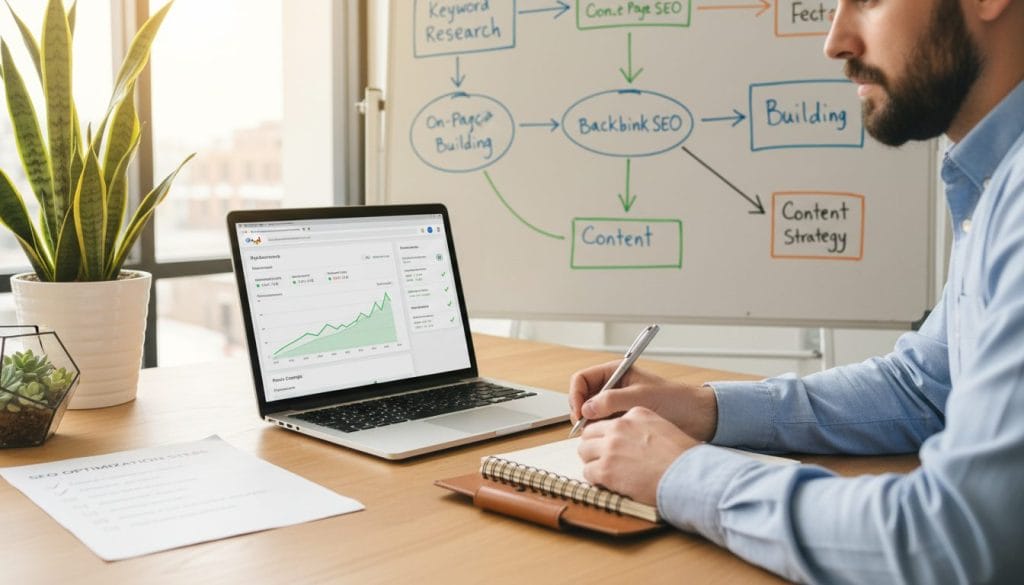
- Confirm your money pages are crawlable and indexed. Check home, services, location and contact pages — if they’re not indexed, nothing else matters.
- Match each page to a clear search intent. Write content that answers what people search for so you attract buyers, not tyre-kickers.
- Add internal links that help humans and Google. Use clear anchor text and link related pages so each page supports the others.
- Set up tracking in Google Search Console and Google Analytics. Use URL Inspection, submit sitemaps when sensible, and stop guessing — these tools show how people find you and where problems live.
- Fix mobile basics. Most local searches happen on phones — speed, readable text and tap-friendly buttons matter for local seo and user experience.
Do these five things first and you’ll see clearer data, fewer wasted fixes and better results over time.
Help Google find, crawl, and index your site properly
You won’t show up in organic search if Google can’t read your pages. Start with a quick site:yourdomain.com check, then use Google Search Console tools to confirm index status, unblock anything accidental, and request re-indexing when needed.
What to look for:
- Site: check — type site:yourdomain.com in google search. Good looks like your key pages listed; an “uh-oh” is nothing indexed or odd staging pages appearing.
- Sitemap reality — sitemaps help large or new sites, but they’re optional if internal links are solid. They’re a helpful tool, not a silver bullet.
- URL Inspection — in google search console use URL Inspection to see index status, canonical choice, and whether a page is blocked from crawlers.
- Common blockers — accidental noindex tags, robots.txt rules, blocked CSS/JS, staging rules left on, or misdirecting redirects.
Triage order: unblock the page, request indexing in the tool, then fix templates so the problem doesn’t return. That sequence saves time and gives you the data you need to track results.
Build a logical site structure with descriptive URLs
A tidy site layout and clear URLs make it quick for people and search engines to find the right page. Make the direct call: group related pages into folders and use plain-English paths so each URL tells a story at a glance.
Direct answer: Use folders like /services/, /locations/, /blog/, /about/ so Google and visitors see topics at a glance.
- Practical folder model: /services/solar-panel-installation, /locations/adelaide, /blog/gutter-cleaning-tips — Aussie examples that read naturally in search results.
- Breadcrumb benefit: Descriptive URL words can appear as breadcrumbs in search results, which reduces uncertainty and lifts click-through rates.
Duplicate content wastes crawl budget. Watch for common traps: http vs https, trailing-slash vs non-trailing, campaign parameters and printer-friendly URLs. These create multiple addresses for the same content and confuse indexing.
Use rel=”canonical” when similar pages should remain but point to a preferred URL. Use 301 redirects when a page has moved or you want to retire a URL entirely. Canonical guides Google; redirects move users and link equity. Make sure you don’t accidentally remove a page that’s already ranking.
Finally, link between related service pages, FAQs and case studies. Internal links strengthen topic signals and help users navigate to the information they came for.
Nail your keyword research so you target the right queries
Start with the phrases your customers actually type, not the ones you wish they did. Good keyword research is choosing exact phrases your customers use, then building pages that properly answer that intent.
How to find those phrases:
- Mine Google Autocomplete and the people also ask and people also search for boxes — they show natural question formats and related queries.
- Brainstorm services, add local modifiers for your audience, then expand with those suggestion boxes to get realistic keyword ideas.
Prioritise smart, not loud
Direct answer: Pick targets by search volume, ranking difficulty and clear business potential — a term with modest search volume but high buyer intent beats a vague high-volume word.
Evidence: Melissa Lahoud (2025) recommends this triage. Use long-tail phrases to earn earlier wins; they have lower competition and often signal intent.
Tools that won't break the bank
Start free: Google Keyword Planner gives volume clues. Semrush has a limited free tier. Browser extensions like Keywords Everywhere speed idea gathering — then track everything in a simple spreadsheet.
“Don’t be that guy — stuffing keywords makes copy read like a robot and can trigger spam policies.”
Practical strategy: pick 3–5 priority queries per page, write for the people behind the query, and measure rankings and enquiries to see what works.
Create people-first content that’s unique, useful, and easy to scan
Good content answers a real question, reads well and rewards the reader quickly. Make each page clear, scannable and written for the person who clicked through.
Write naturally and structure for quick scanning
Use short paragraphs, descriptive headings and plain language. Break complex ideas into bullets or short examples so your audience finds the key points at a glance.
Keep pages current — a six-month check
Direct answer: review and refresh every six months. business.gov.au recommends removing or updating stale pages to encourage re-crawl and faster indexing.
Melissa Lahoud (2025) adds: use Google Search Console to spot falling pages, then update headlines, snippets and facts. Expect results in 3–6 months.
Show genuine experience and trust
Demonstrate E-E-A-T with real examples, source links and clear author notes. Add photos or brief case notes to prove you’ve done the work.
Mini case: after rewriting a service page, fixing internal links and improving the snippet, a local Adelaide service saw a 28% lead uplift in three months.
| Action | Why it matters | Quick step |
|---|---|---|
| Answer intent | Better clicks and leads | Use a clear H1 and first paragraph |
| Refresh every 6 months | Encourages re-crawl | Update facts, links, images |
| Show experience | Builds trust | Add examples, author note, sources |
Optimise on-page elements: titles, meta descriptions, and meta tags
Your title and meta description are the handshake between the page and the searcher. They won’t fix weak content, but they will lift clicks when the page already matches intent.
Write clear, accurate title links that match the page
Keep titles unique, concise and specific so Google Search Central uses them instead of rewriting. Use the primary phrase early and avoid gimmicks or emojis.
Control your snippets with strong meta descriptions (and on-page copy)
Write one or two sentences that explain the main idea and benefit. Sound human, include the key phrase, and echo those words in the page content so Google can pull a clean snippet.
Meta tags that matter
Direct answer: the title, description and alt text matter — skip meta keywords. Alt text supports accessibility and helps image search.
“Write titles that are accurate, concise and human — they improve click-throughs.”
| Element | What to do | Quick check |
|---|---|---|
| Title | Unique, 50–60 characters, primary phrase first | Matches H1 and page topic |
| Meta description | 1–2 sentences, benefit-led, mirror page copy | Encourages click and sets expectation |
| Alt text | Describe image in context, include phrase if relevant | Accurate and concise |
- Mini checklist for a service page: one primary phrase, benefit-driven title, description that pre-qualifies, clear H1 matching intent.
Improve user experience: navigation, mobile, speed, and distractions
Direct answer: if your site is annoying, slow or confusing on mobile, you’ll leak leads even if you rank well in search.
Navigation that helps people and crawlers
Keep menus clear, use a logical hierarchy and add footer links for hard-to-find pages. Internal links should guide people to related pages and help crawlers understand topic clusters.
Mobile-first reality check
Most local searches happen on phones — make tap targets big, keep forms short and don’t hide key info behind weird accordions. Melissa Lahoud (2025) recommends testing on an actual handset to spot hiccups.
Speed basics you can do right now
- Compress images and use sensible file names.
- Remove heavy sliders and limit third-party scripts.
- Tidy fonts and stop auto-play media.
Avoid annoying interstitials
Pop-ups that cover the screen, endless chat widgets and excessive ads frustrate people and risk search penalties — let the content speak first.
Quick test: open the site on mobile data and complete the main task in under a minute. If you can’t, fix it — quick wins here give better marketing results over time.
Need a hand? See our guide on digital marketing for mobile phone repair for practical tips tuned to local seo and real-world use.
Use images (and alt text) to support SEO and visual search
Images that match the text guide both visitors and search engines to the right information. Place photos where they directly support the nearby paragraph so context is obvious to a reader and to indexing bots.
Place high-quality images near relevant text for better context
Direct answer: put the photo next to the paragraph it illustrates so many people and search engines see the connection quickly.
Evidence: Google advises placing images close to related copy; visual content often shows up in image search and drives discovery for trades, hospitality and local services.
Write descriptive alt text for accessibility and search engines
Keep alt text short and factual — describe the scene and its purpose. For example: “adelaide-kitchen-renovation before-and-after” not a list of keywords.
Image file names and compression: small tweaks, big load-time wins
Rename files to meaningful phrases and compress to the display size. adelaide-kitchen-renovation-before-after.jpg beats IMG_2049.jpg and helps clarity without slowing the page.
| Tip | Why it helps | Quick step |
|---|---|---|
| Place images near related copy | Improves context for users and bots | Move photo next to supporting paragraph |
| Descriptive alt text | Accessibility and better image results | Write one short sentence describing the scene |
| Descriptive file names | Gives search engines clear signals | Rename files before upload |
| Compress and size correctly | Faster load times, better user experience | Resize to display size and compress |
Build trust with internal links and quality backlinks
Links are the discovery roads that guide people and search engines to your best pages. Use internal links to map topics clearly, and earn quality backlinks to show reputable sites vouch for your work.
Internal links that actually help
Direct answer: create pillar pages for core services, then link to FAQs, suburb pages and case studies with descriptive anchor text.
Keep anchor words natural and helpful — they tell users and search engines what the linked page covers.
Backlinks: quality beats quantity
Reputable mentions act as a vote of confidence. One relevant backlink from a trusted site helps more than dozens of low-quality listings.
Be honest: buying links risks penalties and wastes money. Earn mentions via helpful content, partnerships and local outreach.
Promotion that helps discovery
- Share useful pages in local groups and newsletters — with permission — to spark organic links.
- Partner with community organisations and suppliers for mentions that matter.
- Encourage satisfied customers to share case studies or reviews — word of mouth still moves the needle.
Handle user-generated links safely
Allow comments and forums but apply rel=”nofollow” to user-generated links by default. That keeps you from vouching for spam while letting genuine references stand.
“Most new pages are discovered through links; anchor text explains what a page is about.”
| Action | Why it helps | Quick step |
|---|---|---|
| Internal linking plan | Improves navigation and topic authority | Create pillar pages and link to FAQs and case studies |
| Earn reputable backlinks | Signals trust to search engines and users | Pitch value-led content to local media and partners |
| Safe user links | Prevents spam and unwanted endorsements | Apply nofollow on comments and untrusted posts |
| Promotion channels | Helps discovery without feeling pushy | Use community, newsletters and word of mouth |
Internal link suggestions: link the pillar pages to relevant Loudachris content such as /seo-adelaide/ and /free-seo-audit/ to help visitors find services and get a helpful audit.
Conclusion
Time to turn knowledge into action — here’s what to do next.
Do this next (ordered): indexability, structure, keyword research, content refresh, on-page snippets, UX, images, links, tracking.
Expect results in 3–6 months — nearly half of clicks still come from organic search (Melissa Lahoud, 2025). Review content every six months (business.gov.au). Changes can take weeks to months to show in Google Search Central data, so focus on steady wins.
You don’t need to fix everything at once. Pick the one issue that blocks growth, iterate, then measure with Google Search Console and Google Analytics. For a free check, Book a free audit at loudachris.com.au. For more reading see /blog/, /seo-adelaide/ and /case-studies/.
FAQ
How long until I see results? Most projects need 3–6 months to show clear movement. It depends on competition, current issues and the time you spend fixing things.
Do I need a sitemap? Not always. Use one for large or new sites, or when many pages aren’t being found; otherwise strong internal links often suffice.
What to track in Google Search Console vs Google Analytics? Use Search Console for indexing, queries and coverage. Use Google Analytics for behaviour, sessions and conversions — they tell different parts of the story.
FAQ
What are the most important things my site needs for search engines to find and rank it?
How do I check whether Google has indexed my pages?
Do I always need to submit a sitemap?
What’s the quickest on-site fixes I can make for better rankings?
How should I pick keywords so I’m not chasing the wrong terms?
How do I write content that both people and search engines like?
What on-page elements really move the needle?
How important is site speed and mobile friendliness?
How should I structure internal links to help topic authority?
Are backlinks worth chasing, and how should I get them?
What role do images play in search and how should I handle them?
How do I measure whether my improvements are working?
How often should I review and refresh content?

Chris Lourenco is the director of Loudachris Digital Marketing, an Adelaide-based SEO, Google Ads, and web design agency. Chris excels in crafting bespoke, results-driven strategies that help businesses get more traffic, leads and sales.


